DonDon
Goals Focus Tasks

Smart task management — Focus on what matters.

Don't let your to-do list run your day. DonDon helps you organize work, goals, and habits intelligently — so you stay focused on what creates the most value.

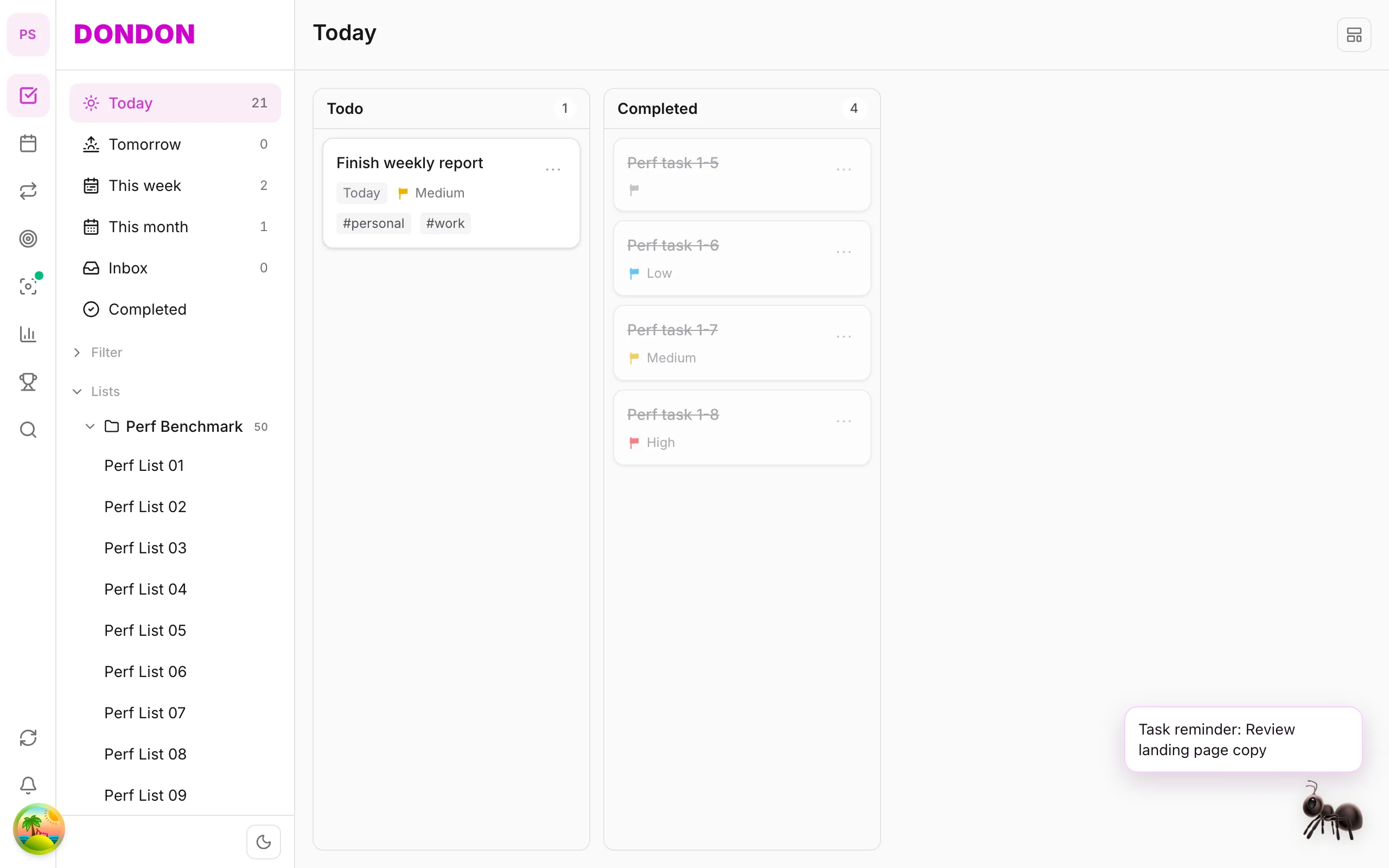
Illustration of the DonDon workspace with tasks, Pomodoro focus, and pet companion

Designed to help you work better every day

Start with clear tasks. Layer calendar, habits, and goals when you're ready to go deeper.

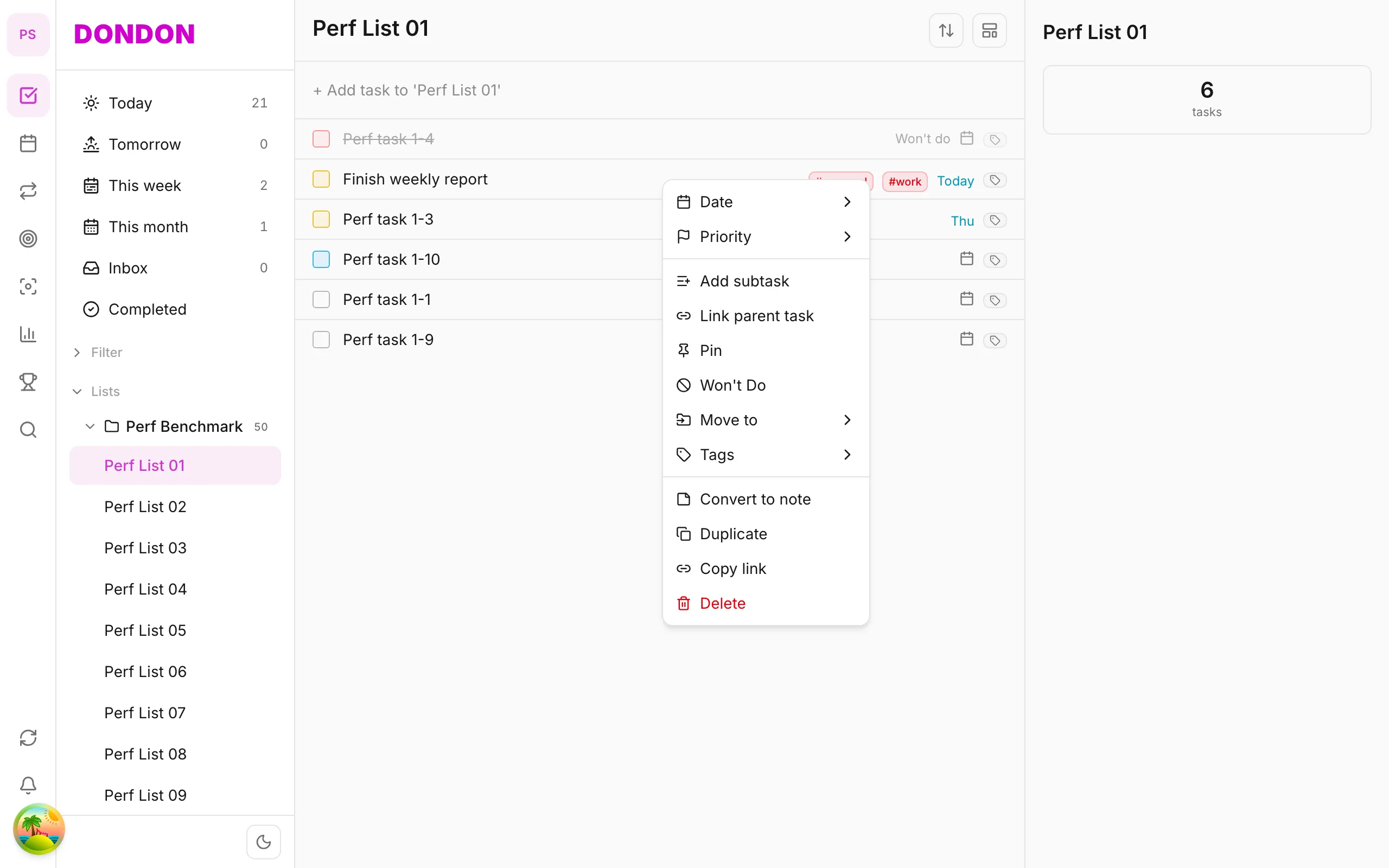
Task list with the right-click context menu open — Date, Priority, Tags, and quick actions in English

Task management — flexible for how you actually work

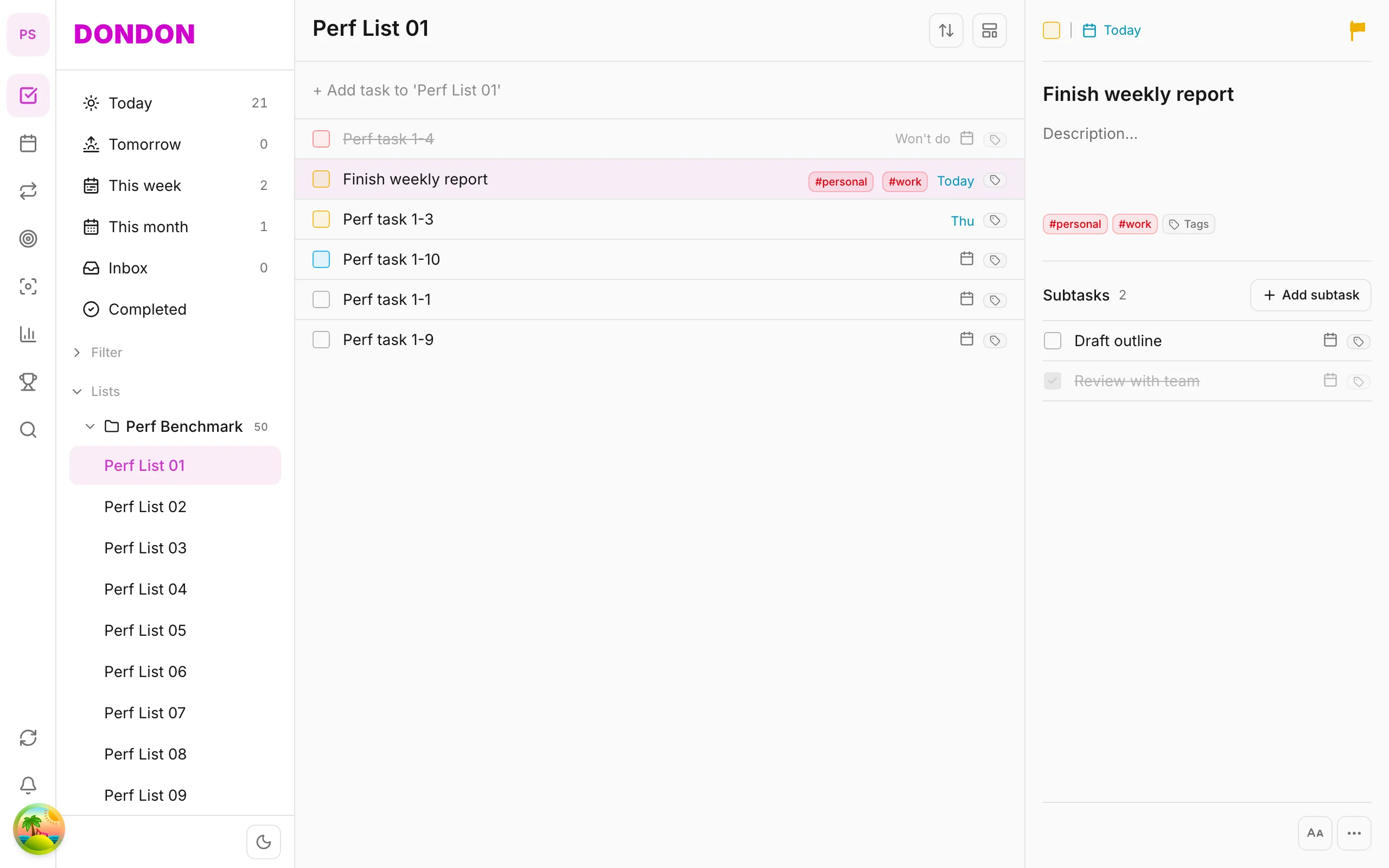
Every to-do lives in one workspace. Set priority, tags, and lists so you know what comes first; break work into subtasks when a big item needs smaller steps. Switch between Kanban, Matrix, and Timeline depending on whether you need the big picture or the fine details.

  • Priority, tags, and lists for quick triage
  • Subtasks break complex work into steps
  • Kanban, Matrix, and Timeline — switch views in one tap
  • Drag-and-drop reorder and smart filters
  • Quick Add with natural language — parses time and tags automatically
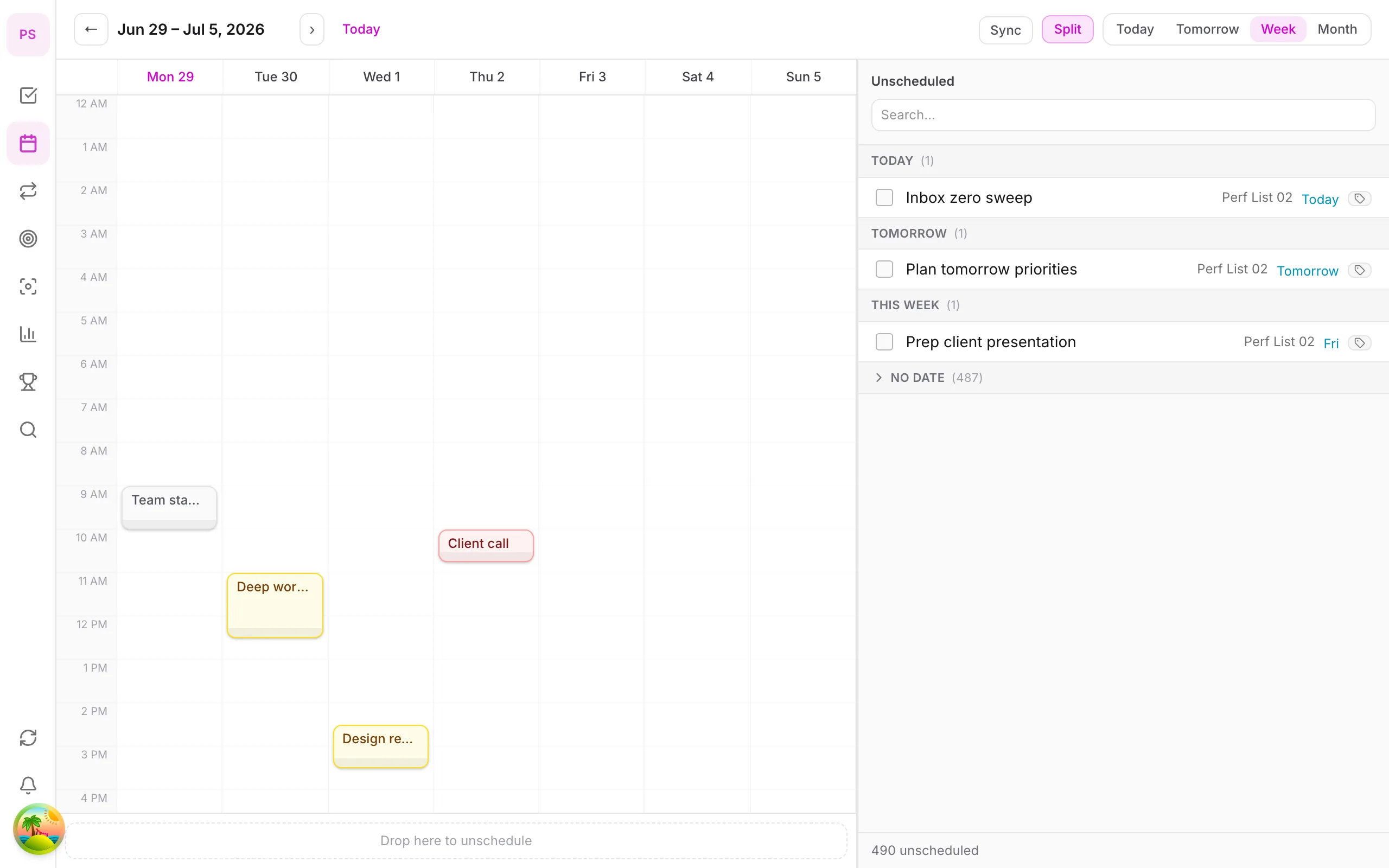
Illustration of the DonDon calendar with time-blocking and Today, week, and month views

Calendar & time-block — know when work happens

Drag tasks onto your calendar to time-block without leaving the workspace. Switch between Today, week, and month views — see your full workload in one place before the day starts.

  • Time-block by dragging tasks into time slots
  • Today, week, and month views in one module
  • See deadlines and time commitments at a glance
  • Plan your day without switching apps
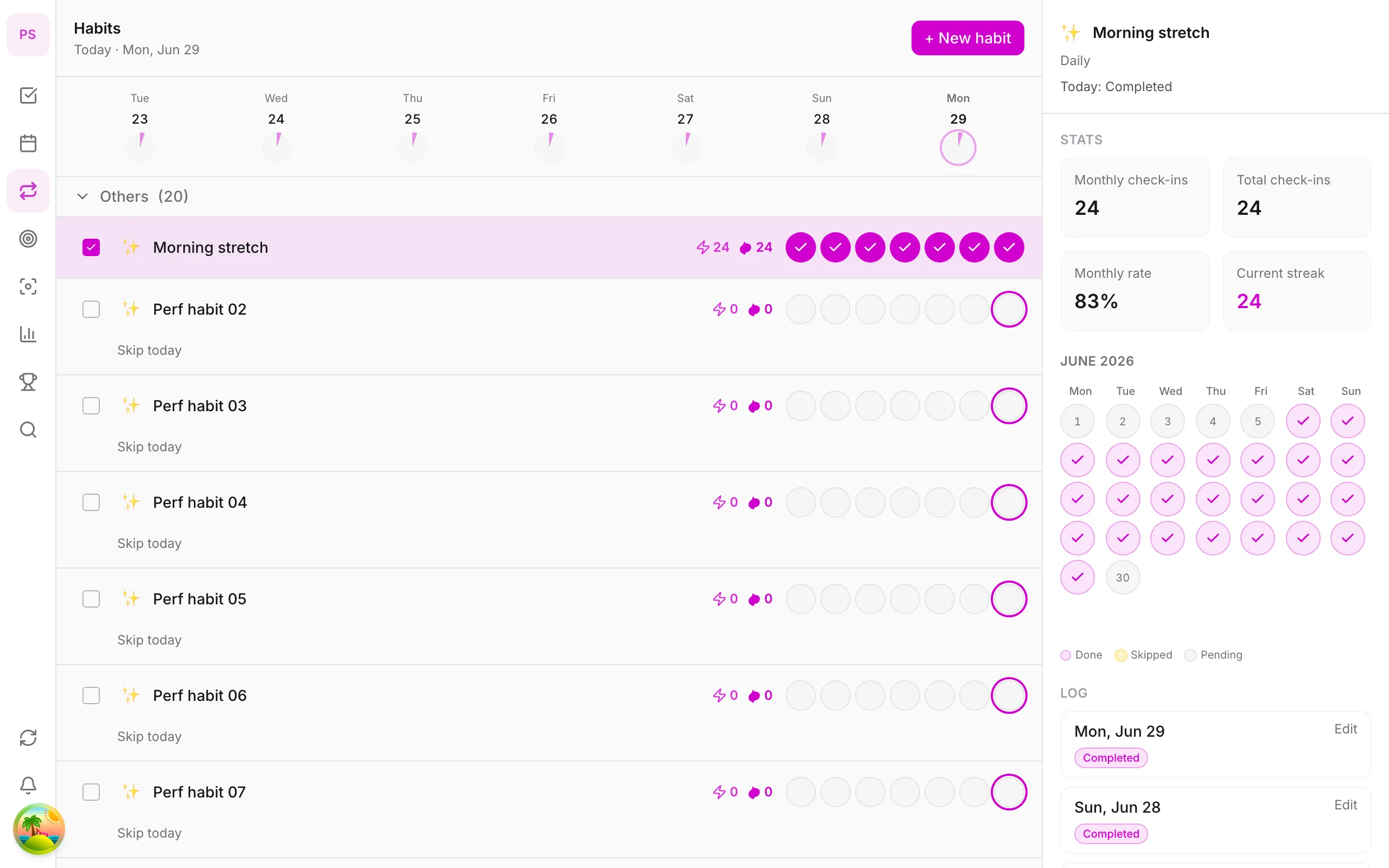
Illustration of the habit module with daily check-ins and a streak heatmap

Habit tracking — daily check-ins and streak heatmaps

Build habits alongside your work. One-tap daily check-ins, skip with a reason when life gets in the way — streak heatmaps show momentum over weeks and months, not just a running day count.

  • Quick check-in with optional skip reason
  • Streak heatmap — see rhythm across weeks and months
  • Habits live next to tasks in the same workspace
  • Milestones when you keep long streaks going
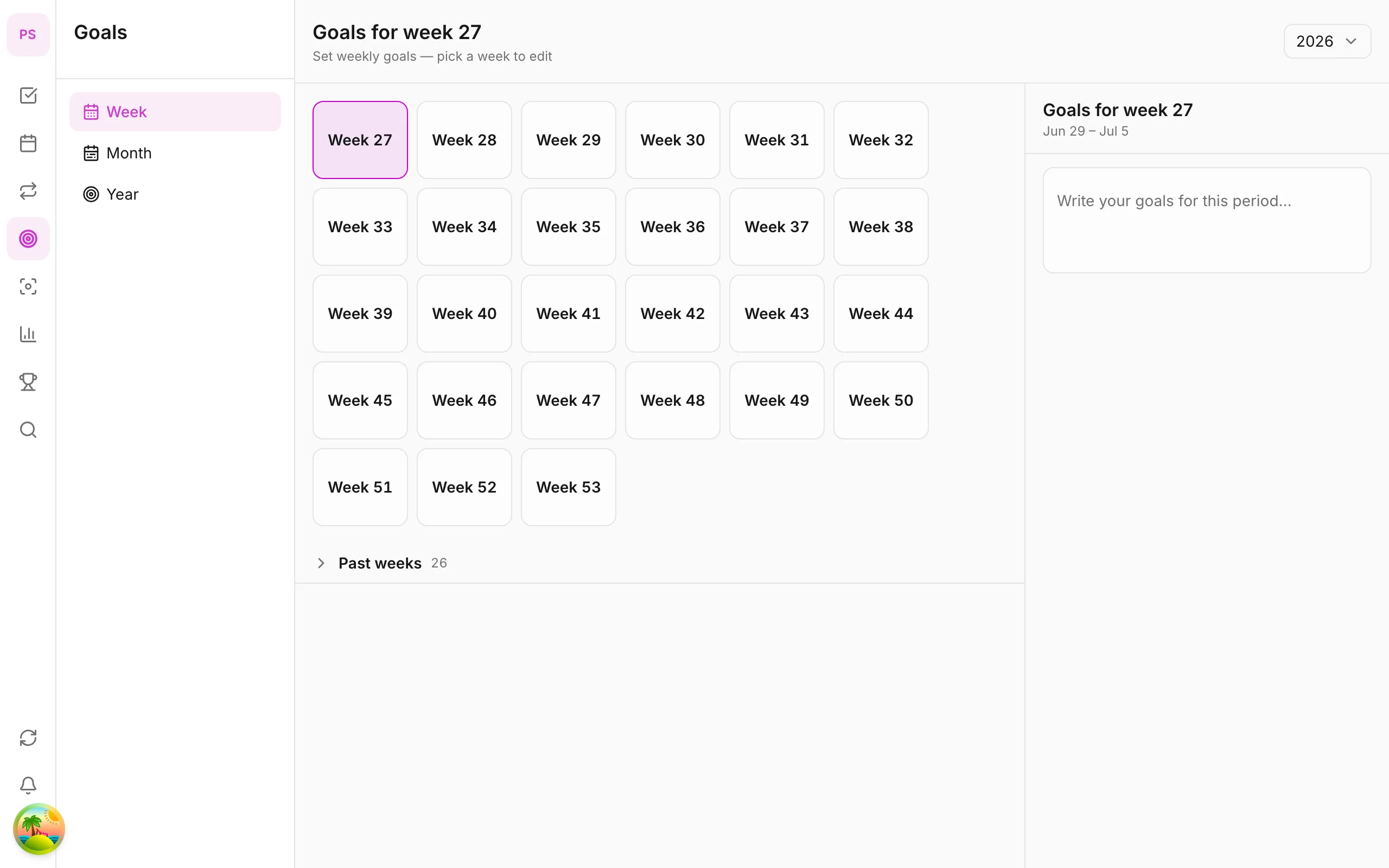
Illustration of week, month, and year goals linked to daily tasks

Multi-period goals

Set week, month, or year goals — link tasks and habits so daily work moves you toward bigger outcomes. Track progress across periods in one unified view.

  • Week, month, and year goals side by side
  • Link tasks and habits to each goal
  • Progress updates as you complete daily work
  • Short- and long-term outcomes in one place
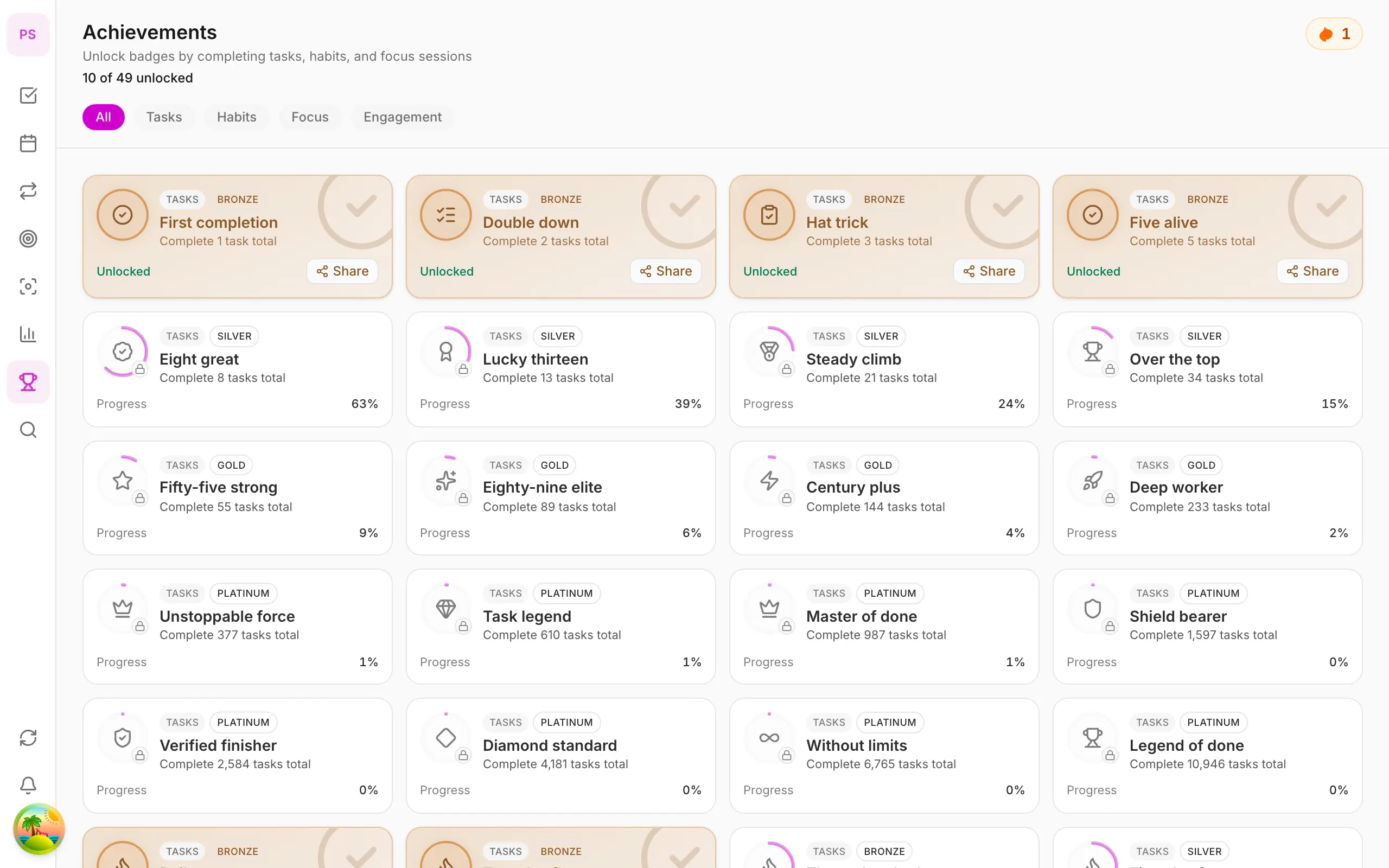
Illustration of an achievements board with unlocked badges and progress

Achievements & motivation

Unlock badges as you complete tasks, keep habit streaks, and hit goals — light gamification that makes progress visible.

  • Badges and streaks tied to goals and habits
  • Rewards goal completion and habit streaks
  • Track milestones in one place
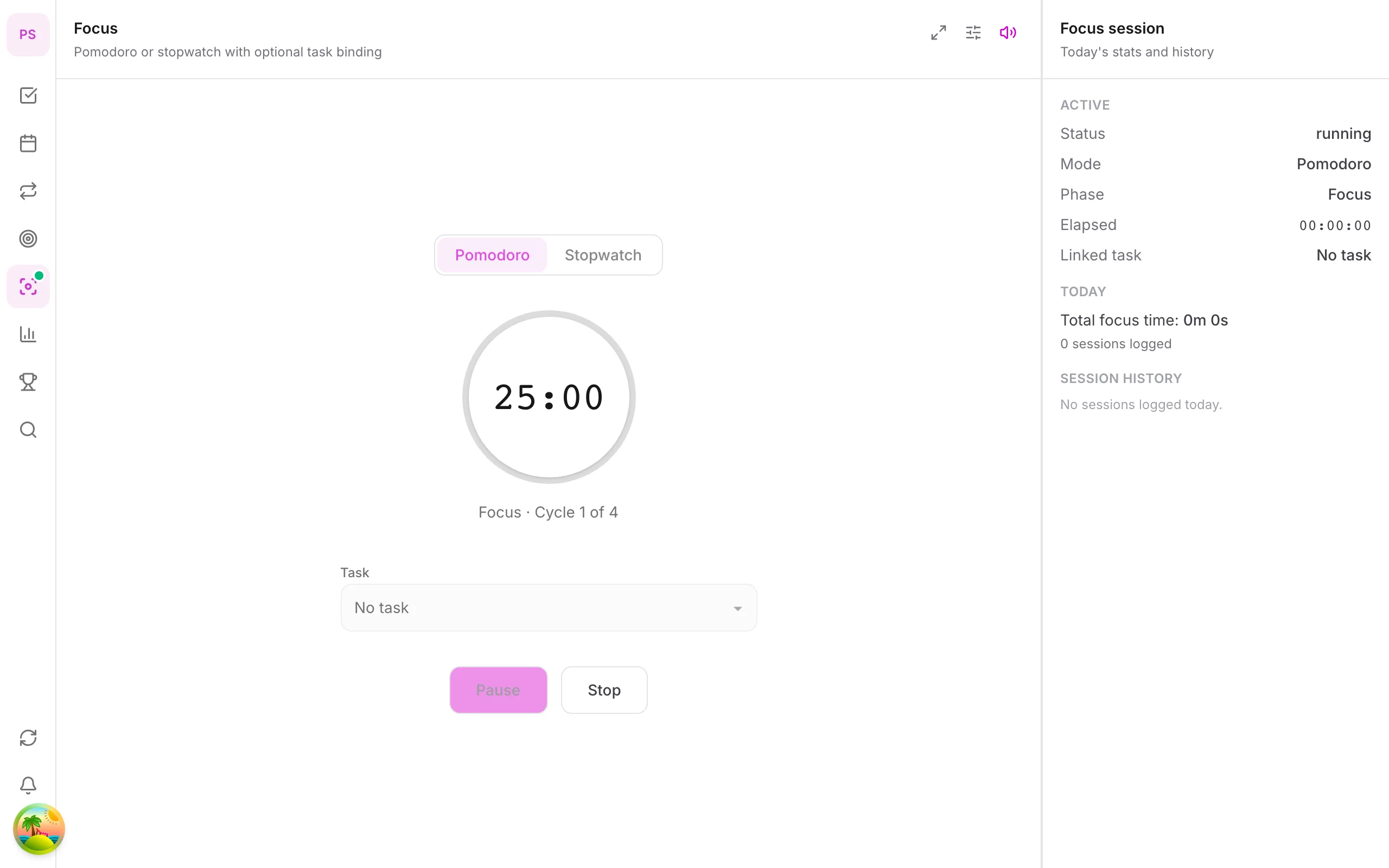
Illustration of a Pomodoro timer with focus and celebration sound options

Focus + ambient sounds

Task-linked Pomodoro — timer, short/long breaks, and on-brand progress ring. Optional focus soundscapes and celebration sounds when you finish.

  • Built-in Pomodoro on web, desktop, and mobile
  • Focus soundscapes and completion sounds in the same session
  • Attach focus sessions directly to the task you're doing
Illustration of a desktop pet companion reminding about an upcoming task

Pet companion reminders

A desktop pet appears when tasks or habits are due — gentle nudges without opening the app, celebrations when you finish.

  • Enable the pet on desktop — reminders on screen
  • Reminds for tasks and habits while you work elsewhere
  • Customize position and reminder style
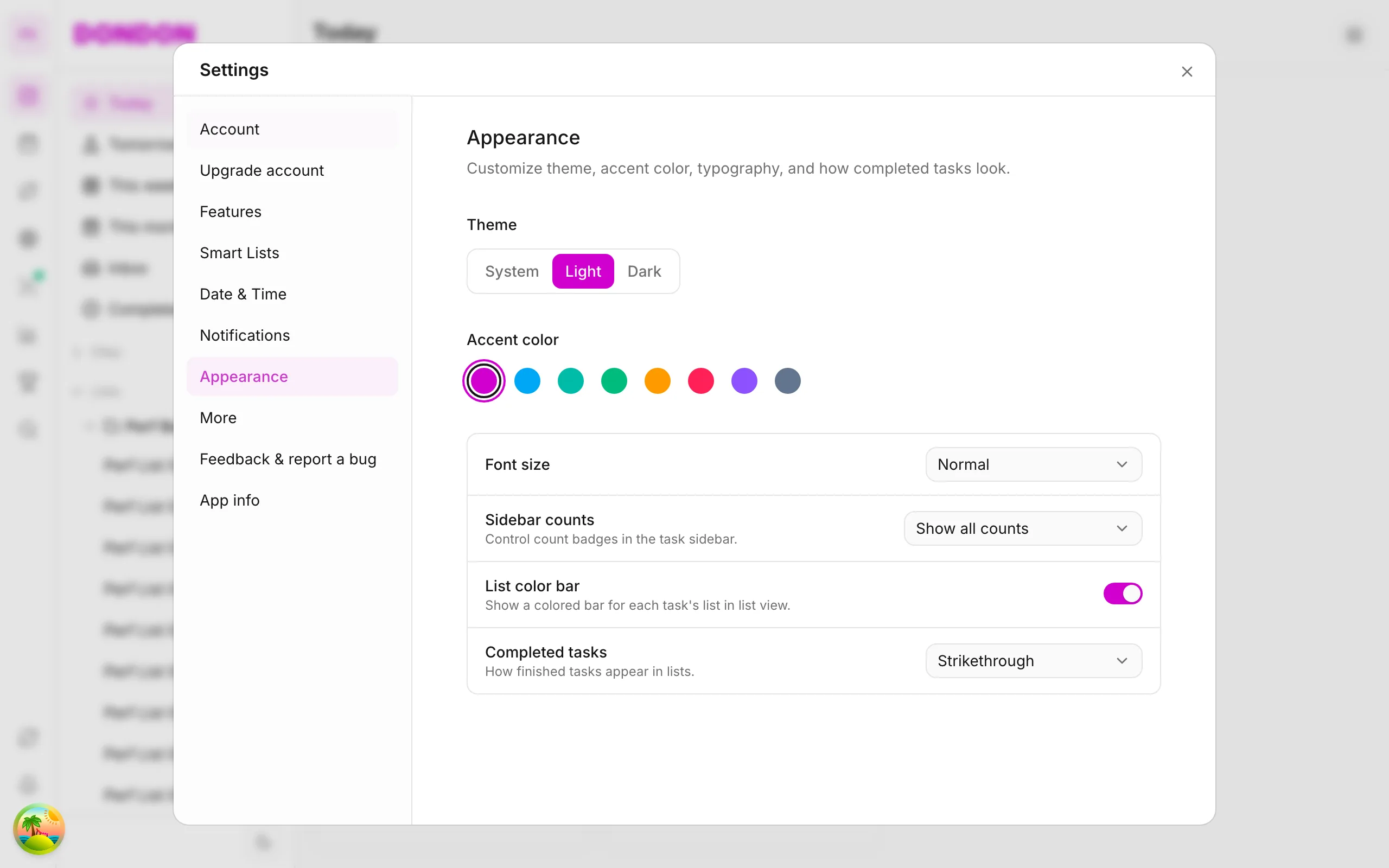
Illustration of appearance, theme, and workspace layout customization

Make the workspace yours

Theme, layout, default views, and advanced settings — shape DonDon into the productivity app that fits your workflow.

  • Theme, layout, and default views that fit your workflow
  • Custom filters and smart lists for complex workflows
  • One account — same settings on web, desktop, and mobile

Everything you need to work with intention

Nine feature blocks that reflect the real product — not just a task list.

Multi-period goals

Set weekly, monthly, or yearly goals — link tasks and habits so every day moves you toward bigger outcomes.

Achievements & motivation

Unlock badges for completing tasks, maintaining streaks, and hitting goals — light gamification, clear progress.

Pet companion reminders

Desktop pet appears when tasks or habits are due — gentle nudges without opening the app.

Cross-platform

Web, desktop (Windows & macOS), and iOS mobile — one account, synced tasks, habits, and goals.

Tasks & Lists

Folders, lists, subtasks, tags — organize by project with drag-and-drop reorder and smart filters.

Calendar & Time block

View Today, week, and month — drag tasks onto your calendar to time-block without leaving the workspace.

Habit tracker

Daily check-ins, streak heatmap, skip with reason — build habits alongside your work.

Pomodoro & Focus

Task-linked timer — Pomodoro, short and long breaks with on-brand progress ring.

Sync & Reminders

Offline-first sync on mobile, local reminders — work anytime, push when you're back online.

What DonDon users say

Feedback from people who use DonDon every day — tasks, habits, and goals in one workspace.

“Vietnamese quick-add lets me capture tasks in seconds — type naturally, no long forms.”

Minh T.

Product Manager

“Week goals linked to daily tasks make it clear how each small step contributes to something bigger.”

Hương N.

Student

“Pomodoro tied directly to a task — I start focus, finish a session, and know exactly what I completed.”

Khoa L.

Content writer

“I capture tasks on my phone and they show up instantly on my laptop — realtime sync across web, desktop, and mobile feels seamless.”

Đức P.

Software engineer

“The desktop pet nudges me back to work — cute enough to enjoy, helpful enough to keep my day on track.”

Thảo V.

Marketing specialist

“Badges and habit streaks make progress visible — light gamification that keeps me motivated without feeling noisy.”

Anh Q.

Team lead

Frequently asked questions

Why DonDon is built this way — and how to get started.

  • Why does DonDon link Goals to daily tasks?
    Checklists can keep you busy without real progress. DonDon lets you set week, month, or year goals and link subtasks — so daily work moves toward bigger outcomes.
  • How do achievements and streaks help productivity?
    DonDon unlocks badges as you complete tasks, keep habit streaks, and hit goal milestones — light gamification that makes progress visible instead of just checking boxes.
  • How is Focus + sounds different from a standalone timer?
    Pomodoro in DonDon attaches directly to the task you're doing — timer, short/long breaks, and progress ring in the same workspace. Optional focus soundscapes and celebration sounds when you finish, so focus sessions stay part of your workflow.
  • What problem does the pet companion solve?
    Many people forget tasks because they don't open the app. The pet companion is a desktop mascot that appears when tasks or habits are due — gentle on-screen nudges and celebrations when you finish, without switching windows.
  • How does natural-language quick-add work?
    Type like you speak — e.g. "Team sync 3pm tomorrow #work" — and DonDon parses time, tags, and lists automatically. No multi-step forms; Vietnamese and English supported in the input field.
  • Which platforms can I use with one account?
    Full-featured web app, Windows & macOS desktop with Quick Add popup (Ctrl+Shift+Space on Windows, ⌘⇧Space on macOS), and iOS mobile app (preparing for release) — one workspace, synced across devices.
  • Is DonDon paid?
    DonDon offers a Free plan to get started and Premium when you need more features. See full pricing

Struggling to stay on top of your work?

Try DonDon now, completely free.