DonDon

Capture tasks anywhere — focus without interruption

Desktop Quick Add Ctrl+Shift+Space (Windows) or ⌘⇧Space (macOS), full web workspace, native mobile coming soon — one account syncing tasks, habits, and goals.

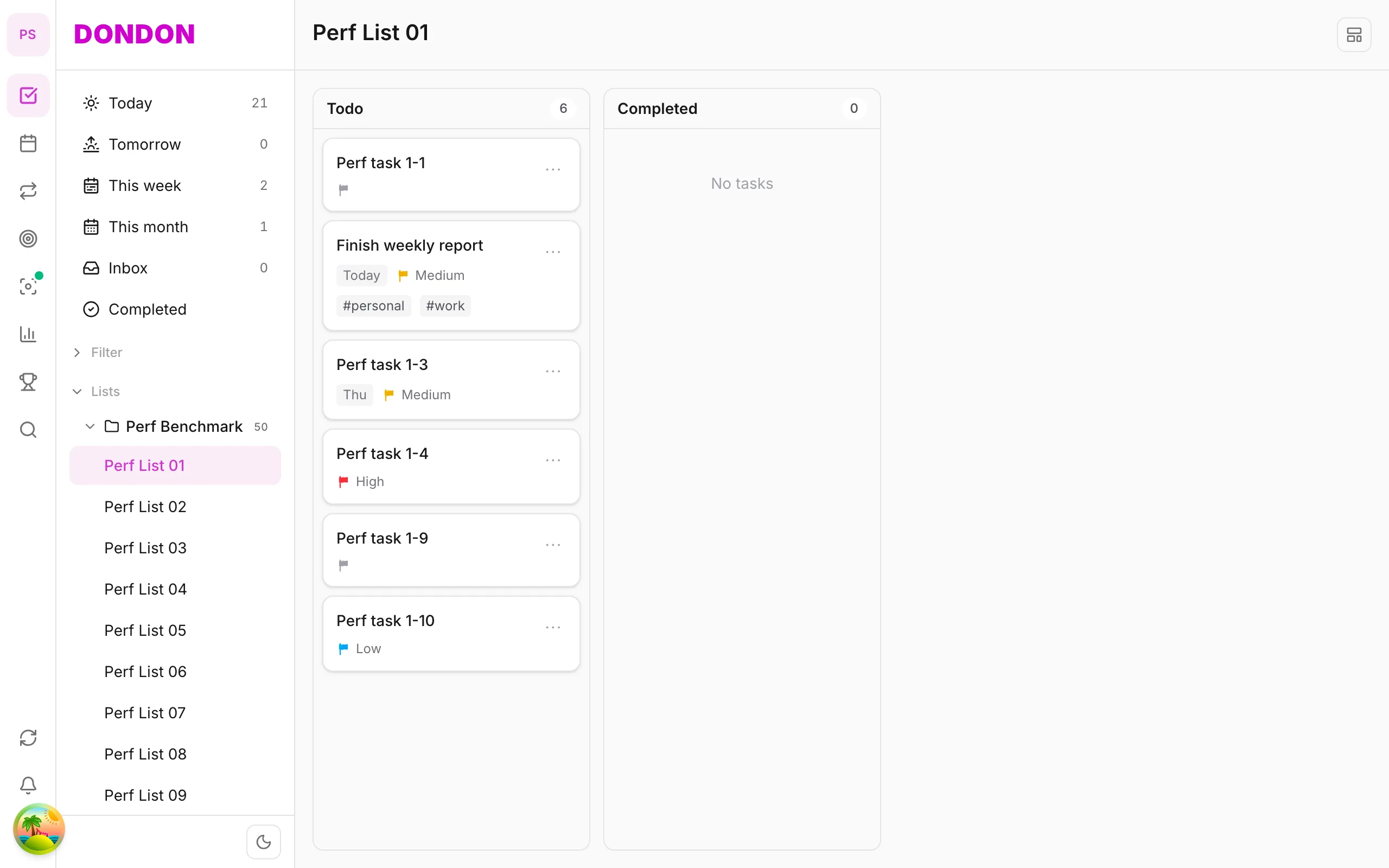
DonDon web interface with sidebar, task list, and calendar

Web

Open your browser for the full workspace — tasks, calendar, habits, and goals in one tab. No install required, realtime sync with desktop and mobile.

  • Full 3-pane workspace in the browser
  • Quick Add and natural-language parsing
  • Realtime sync with desktop and mobile
  • No install — open a tab and start
Try on web
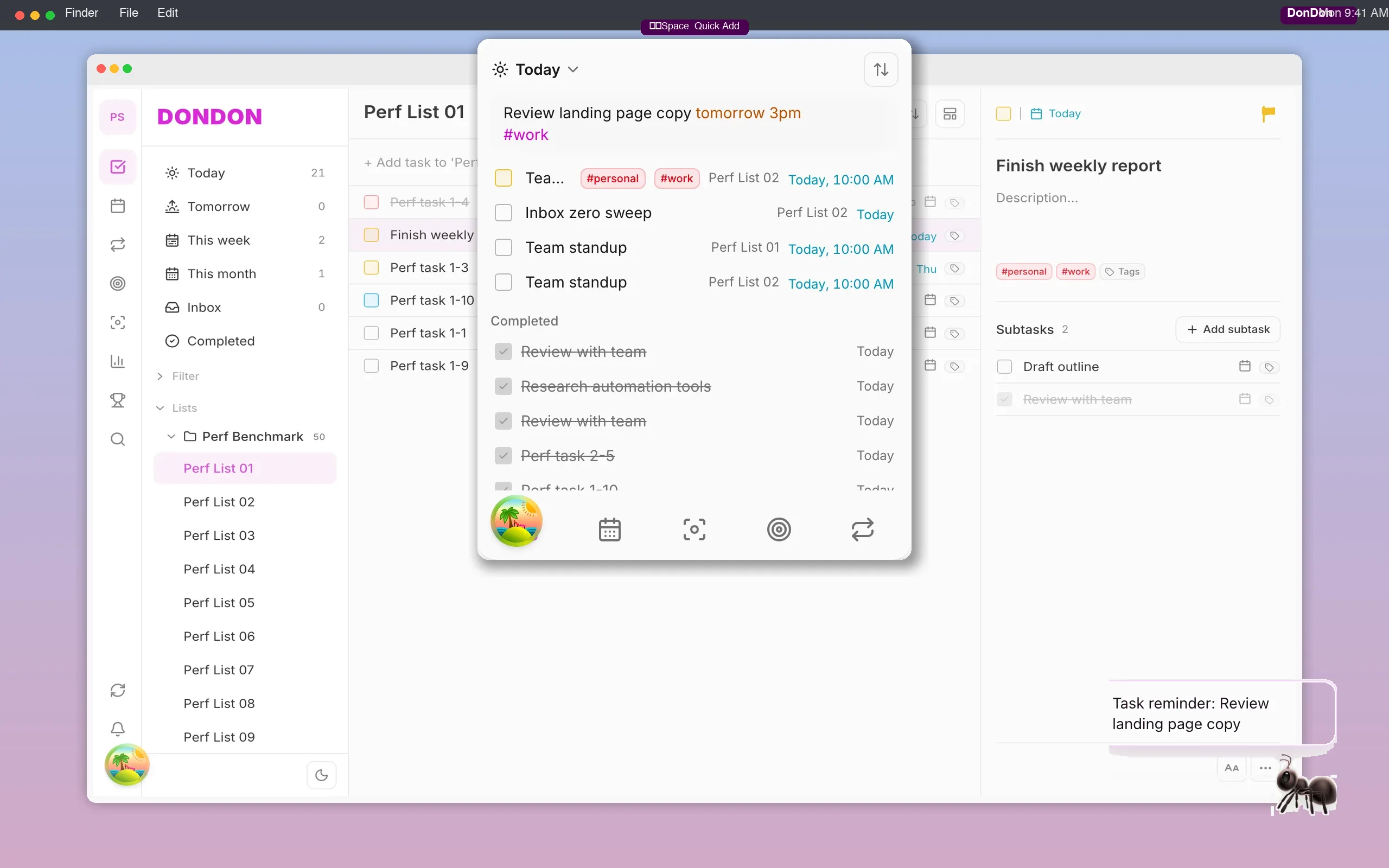
DonDon on desktop — system tray app, Quick Add popup with natural language, and desktop pet companion

Desktop (Windows & macOS)

Desktop app on Windows and macOS — Quick Add popup Ctrl+Shift+Space (Windows) or ⌘⇧Space (macOS) to capture tasks without leaving your current app. Pet companion reminders right on screen.

  • System tray / menu bar — always one click away
  • Quick Add — Ctrl+Shift+Space (Windows) or ⌘⇧Space (macOS)
  • Desktop pet companion for on-screen reminders
  • Synced with web and mobile on one account
DonDon mobile app brand splash on iPhone mockup — iOS and Android coming soon
iOS — Preparing for release Android — Preparing for release

Mobile

Native iOS app — Today view, habit check-ins, and Pomodoro on the go. Work offline, sync when you're back online.

  • Today screen — tasks and habits in one view
  • Pomodoro and focus timer on mobile
  • Offline-first — work without a connection
  • Auto-sync when you're back online

Struggling to stay on top of your work?

Try DonDon now, completely free.