DonDon

Capture tasks anywhere — focus without interruption

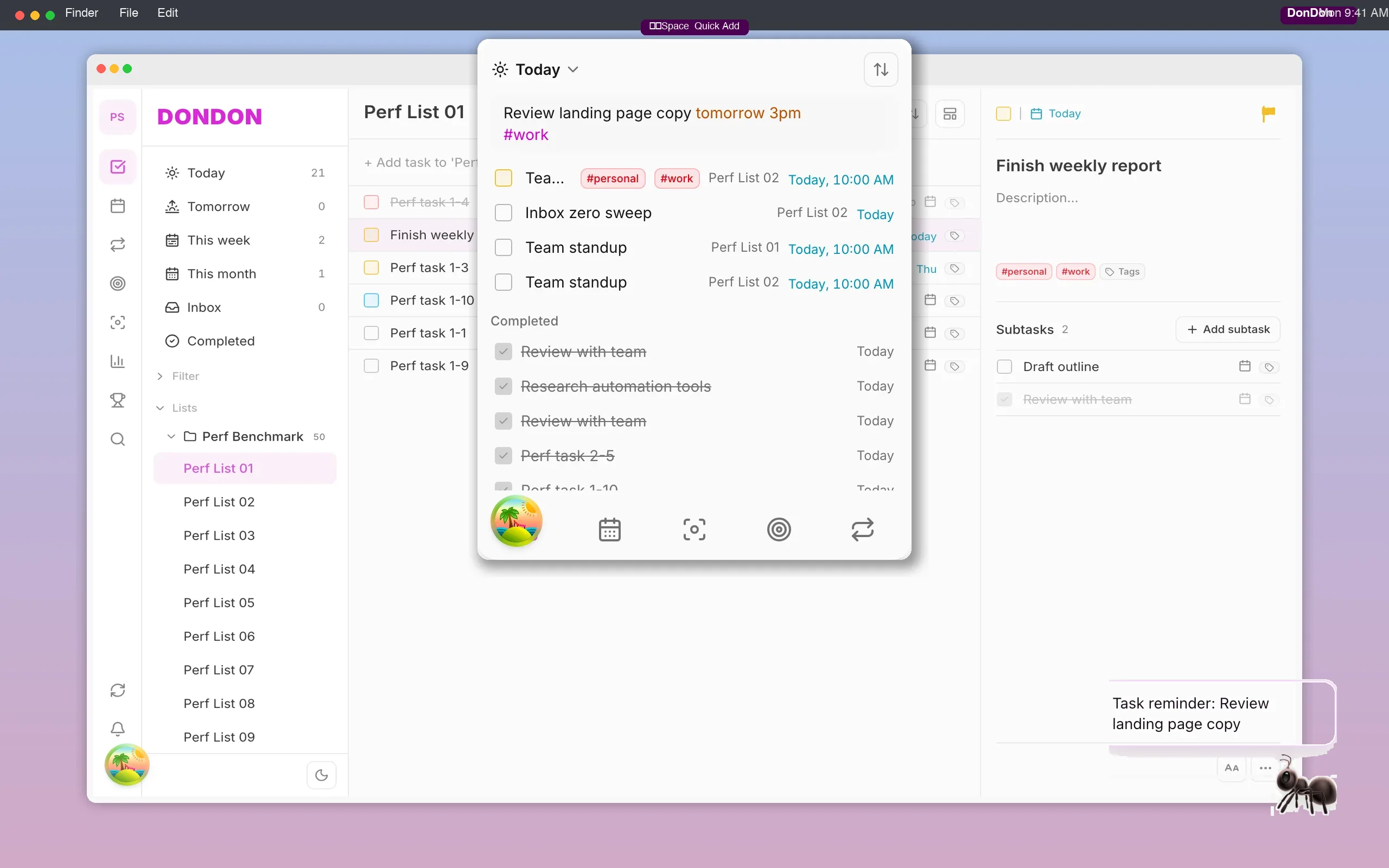
Desktop Quick Add Ctrl+Shift+Space (Windows) or ⌘⇧Space (macOS), full web workspace — one account syncing tasks, habits, and goals.

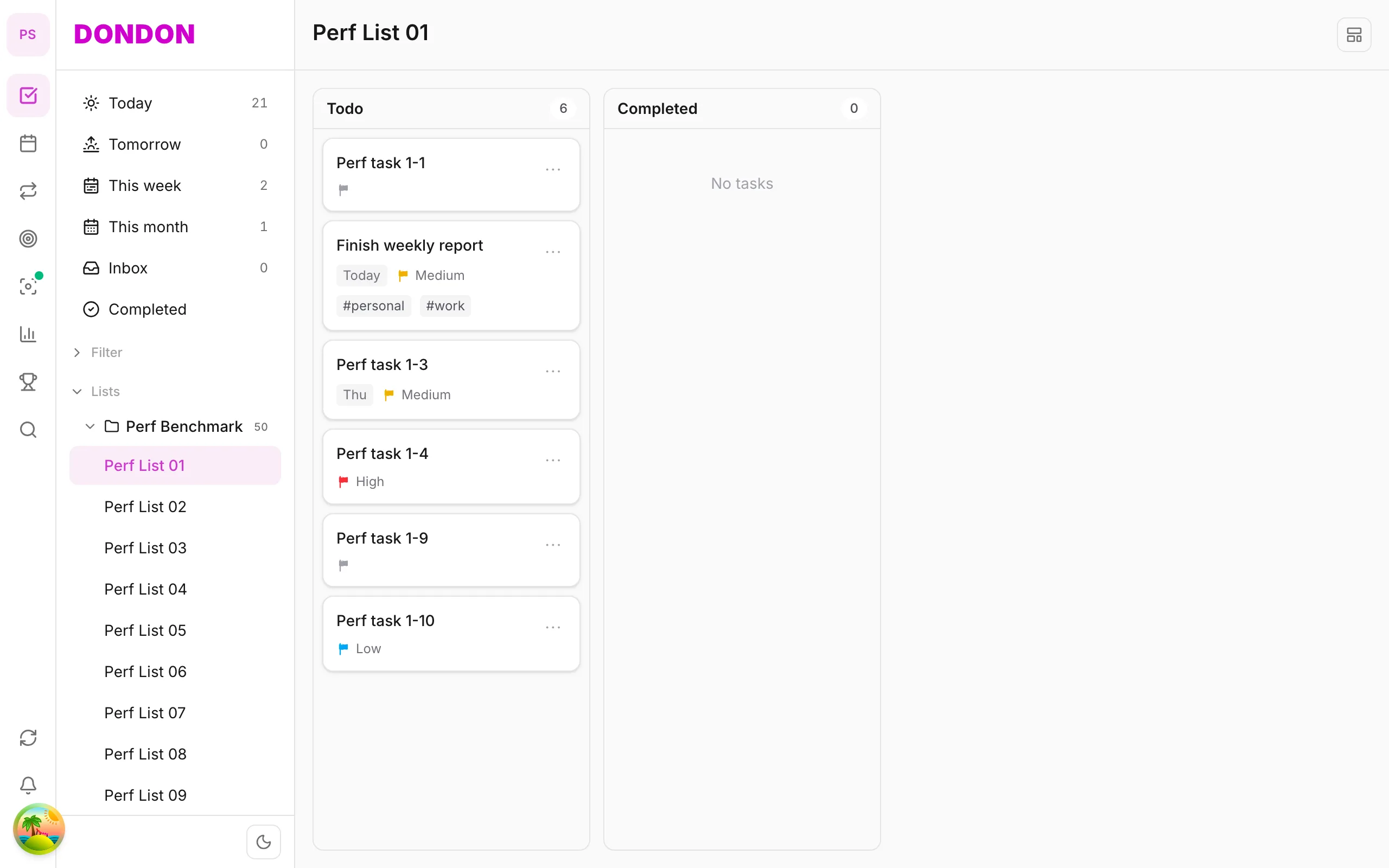
DonDon web interface with sidebar, task list, and calendar

Web

Open your browser for the full workspace — tasks, calendar, habits, and goals in one tab. No install required, realtime sync with desktop.

  • Full 3-pane workspace in the browser
  • Quick Add and natural-language parsing
  • Realtime sync with desktop
  • No install — open a tab and start
Try on web
DonDon on desktop — system tray app, Quick Add popup with natural language, and desktop pet companion

Desktop (Windows & macOS)

Desktop app on Windows and macOS — Quick Add popup Ctrl+Shift+Space (Windows) or ⌘⇧Space (macOS) to capture tasks without leaving your current app. Pet companion reminders right on screen.

  • System tray / menu bar — always one click away
  • Quick Add — Ctrl+Shift+Space (Windows) or ⌘⇧Space (macOS)
  • Desktop pet companion for on-screen reminders
  • Synced with web on one account

Web or desktop: which should you use?

Web or desktop: which should you use? WebDesktop (Windows & macOS)
Install None — open a browser tabDownload and install the app
Full workspace (tasks, calendar, habits, goals) YesYes
Quick Add from any app Only while the tab is openGlobal shortcut: Ctrl+Shift+Space (Windows) or ⌘⇧Space (macOS)
Always one click away Browser tabSystem tray (Windows) or menu bar (macOS)
AI with your own key YesYes, plus AI tools installed on your computer
Account and sync One account, realtime syncSame account, realtime sync

Platform questions

  • Does DonDon work on Windows and macOS?
    Yes. There is a desktop app for Windows and one for macOS. Both include the system tray or menu bar icon and the global Quick Add shortcut, and both sync with the web app through the same account.
  • Is there a Linux version?
    There is no Linux desktop app at the moment. You can still use the full DonDon workspace in any modern browser on Linux through the web app.
  • Do I need to install anything to use DonDon?
    No. The web app runs in your browser with the full workspace. Install the desktop app only if you want the global Quick Add shortcut, the tray or menu bar icon, or the pet companion on your desktop.
  • What is the Quick Add shortcut?
    Press Ctrl+Shift+Space on Windows or ⌘⇧Space on macOS to open a small popup, type a task in plain language (for example 'Team sync 3pm tomorrow #work') and press Enter, without leaving the app you are working in.
  • Do web and desktop stay in sync?
    Yes. Both use the same account, and changes sync in realtime, so a task you add from the desktop popup appears in the browser straight away.
  • How do I install the desktop app?
    Use the download buttons on this page. On macOS you get a .dmg installer: open it and drag DonDon to Applications. On Windows you get a setup .exe: run it and follow the steps. Then sign in with the same account you use on the web.
  • Can I use DonDon on both my work and home computers?
    Yes. Sign in with the same account on each device, whether in the browser or in the desktop app. Your tasks, habits and goals are the same everywhere because they sync through your account.
  • Is the desktop app free?
    Downloading and using the desktop app is free. Some features, such as the pet companion and calendar integration, need the Premium plan. See the pricing page for the full comparison.

Struggling to stay on top of your work?

Try DonDon now, completely free.