guides
Plan Your Day with Claude or ChatGPT (Prompts Included)
Copy-paste prompts to plan your day with Claude or ChatGPT, plus how to move from a chat window to a planner that already knows your tasks.
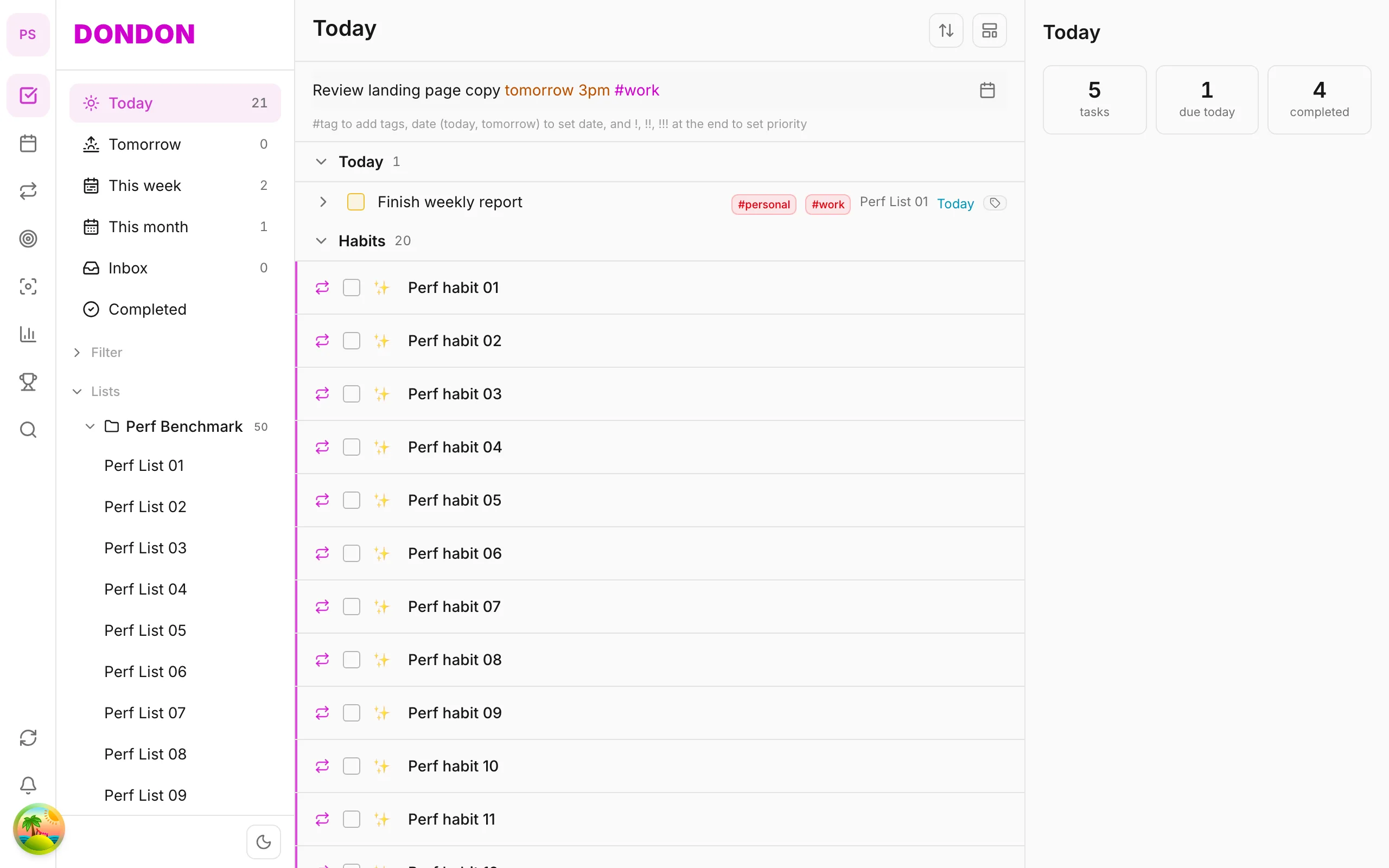
Chat is great for a plan, bad for memory
Claude and ChatGPT can turn a messy list into a sensible schedule in seconds. What they cannot do on their own is know your tasks, calendar or habits tomorrow. You paste everything in each time. That is fine for a one-off plan and tedious as a daily system.
Here are prompts that work, then the way to stop re-pasting.
Prompt 1: the daily plan
You are my planning assistant. Today is [date], I work [start]-[end].
Fixed commitments: [meetings with times].
Tasks (with rough minutes): [task list].
Energy: I focus best in the [morning/afternoon].
Build a time-blocked schedule. Put deep-work tasks in my best hours,
leave a 20% buffer, and list what to drop first if I fall behind.
Use a table: time | task | why.
Prompt 2: break a vague goal into steps
Break this into concrete next actions I can finish in under 45 minutes each:
"[goal]". Order them. Flag anything I must wait on someone else for.
Prompt 3: the end-of-day reset
Here is what I finished: [list]. Here is what is left: [list].
Suggest tomorrow's top three, and tell me which leftover task I should
delete or delegate and why.
Prompt 4: weekly review
Here are my numbers this week: tasks completed [n], focus minutes [n],
habit check-ins [n/n]. Give me three observations and one change to try next week.
Tips that make answers better
- Give durations. "Write report (90 min)" beats "write report".
- Say your constraints — commute, school run, meetings you cannot move.
- Ask for what to drop. Plans fail at the bottom of the list; make that explicit.
- Keep data minimal. You do not need to paste sensitive details into a chat.
From chat to a system that remembers
The limitation is memory. A planner app that connects to the same model removes the copy-paste:
- Capture tasks as you think of them with quick-add.
- Ask the model to break one down or propose time blocks, using the tasks already in the app.
- Accept or edit the proposal and it becomes your calendar.
In DonDon you paste your own Claude, OpenAI or Gemini key (or use a local model) and those steps run in the app. Requests go from your device to the provider, and AI is off until you enable it. See what BYOK means. Time blocking is a Premium feature; quick-add and basic task management are free.
What AI will not fix
It will not decide what matters to you, and it will happily schedule 14 hours of work in a 9-hour day if you let it. Keep the buffer rule and the "what to drop" question in every prompt.
A full worked example
Here is a realistic exchange so you can see what good input and output look like.
Input:
Today is Tuesday. I work 9:00-17:30. Fixed: standup 9:30-9:45, client call 14:00-15:00. Tasks: finish proposal draft (about 2.5 hours), reply to emails (30 min), book flights (20 min), review Priya's pull request (40 min), write weekly report (45 min). I focus best before lunch. Leave a 20% buffer. Tell me what to drop first.
A good response looks like:
| Time | Task | Why |
|---|---|---|
| 9:45-12:15 | Proposal draft | Deep work in your best hours |
| 12:15-13:00 | Lunch | Fixed break |
| 13:00-13:40 | Review Priya's PR | Short, concrete task before the call |
| 13:40-14:00 | Buffer | Absorbs overruns |
| 14:00-15:00 | Client call | Fixed |
| 15:00-15:45 | Weekly report | After the call, while it is fresh |
| 15:45-16:15 | Emails | Low-energy admin |
| 16:15-16:35 | Book flights | Quick errand |
| 16:35-17:30 | Buffer / overflow | Protects the day |
Drop first: book flights, then emails.
Notice what made this work: durations, fixed times, an energy rule, a buffer rule and an explicit drop order.
What to check in any AI plan
Before you accept a plan, run through five quick checks:
- Does the total fit? Add up the durations. Models sometimes schedule more than the day holds.
- Are fixed events respected? Check the meeting times it was given.
- Is the hard work in the right place? It should match the energy rule you stated.
- Is there a buffer? If not, ask for one.
- Is the drop order sensible? The first item to cut should be genuinely optional.
If something fails, tell the model which rule it broke and ask for a revision. Short corrections work better than starting over.
Making the prompt reusable
Save your prompt as a template with placeholders, and keep a standing section of your fixed rules:
My standing rules:
- Work hours 9:00-17:30, lunch 12:15-13:00.
- Deep work before lunch, admin after 15:00.
- Always keep a 20% buffer.
- Never schedule more than 3 deep-work blocks in a day.
- Estimates: add 25% to anything involving writing.
Paste the rules plus today's tasks each morning. It takes under a minute.
Choosing between Claude and ChatGPT for planning
Both handle planning well. Differences that matter in practice:
- Instruction following. Check which model holds your rules (buffer, drop order) consistently across a long list.
- Tone. Some models over-explain. Add "answer in a table only" if you want brevity.
- Cost and limits. With your own API key you pay per use and can switch models freely.
- Privacy. Both are cloud services. For sensitive tasks, consider a local model; see local AI to-do app with Ollama.
Test the same prompt on two models for a week and keep the one whose plans you actually follow.
Common failure modes
- The plan is too optimistic. Add durations and the +25% rule.
- It forgets a meeting. Put fixed events at the top of the prompt, in a list.
- It ignores your energy. State when you focus best and ask it to explain placement.
- You never follow the plan. The plan was probably too long. Ask for a top-three version.
- You paste everything every day. That is the signal to move to an app that holds your tasks and calls the model for you.
Try it
Set up the AI settings in DonDon, then plan tomorrow in three minutes. See platforms and downloads and the free AI day planner guide.
Frequently asked questions
- What is the best prompt to plan my day with AI?
- Give it your fixed commitments, your task list with rough durations, your working hours and energy pattern, and ask for a schedule plus what to drop if time runs out.
- Can I use Claude directly inside my to-do app?
- Yes, if the app supports your own key. In DonDon you paste a Claude, OpenAI or Gemini key and the AI features run on that model.
- Why does the AI schedule feel unrealistic?
- Usually because it does not know your real durations, travel time or meetings. State them explicitly and add a buffer rule (for example, leave 20% of the day empty).
Create a free account and start managing tasks today.
Smart task management — focus on what matters.
Create free account