Goals
Achievements & streak on the app
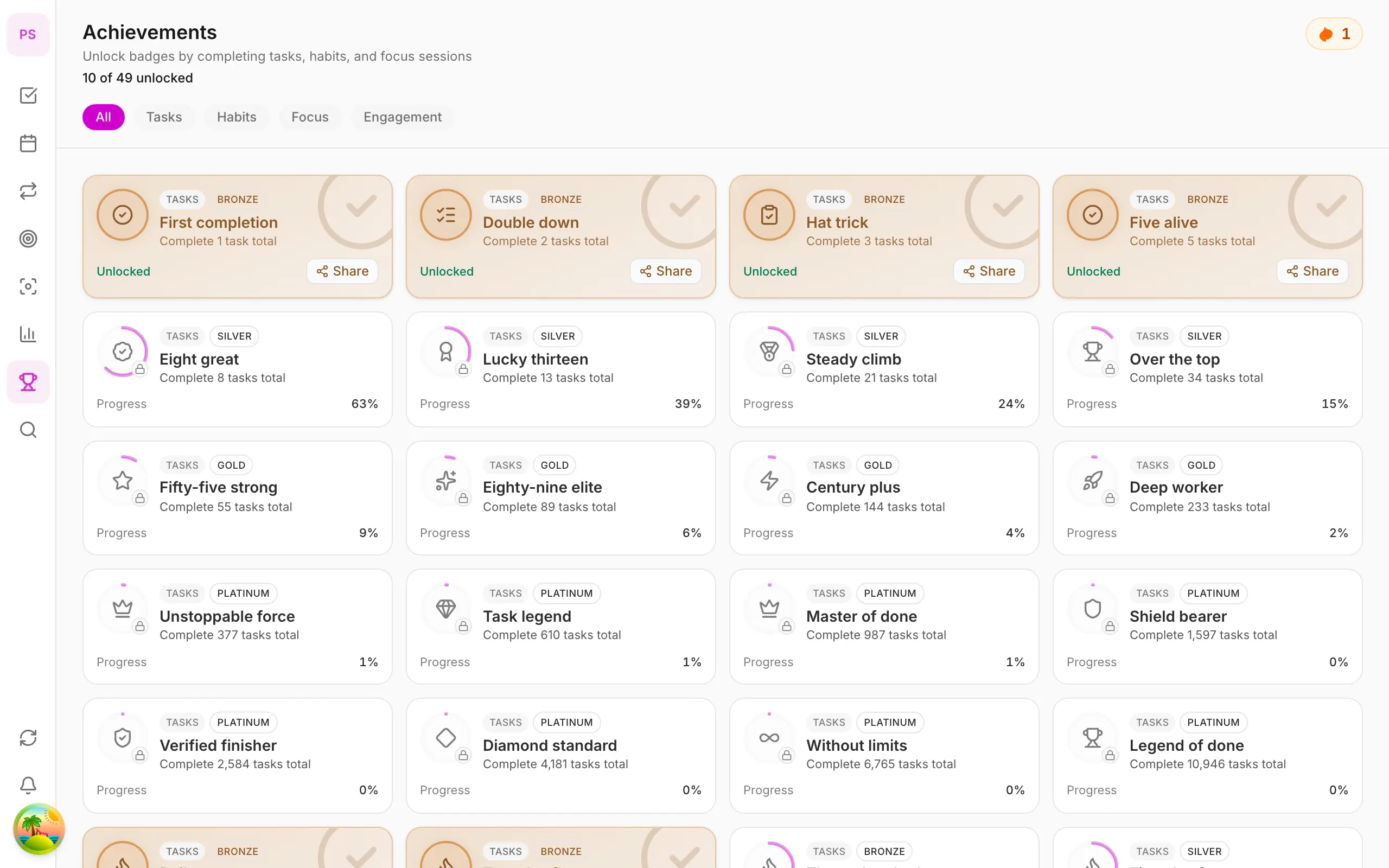
Unlock badges and track app streak via More → Achievements — gamification on iPhone/Android.
Free
What you’ll learn
- Open Achievements from More tab
- Read app streak and unlocked badge count
- Filter badges by Tasks, Habits, Focus
Before you start
| Platforms | iOS (TestFlight) · Android — primary guide. |
| Plan | Free — achievements don’t need Premium |
| Prerequisites | Signed in; some task/habit/focus activity. |
Steps
1. Open Achievements
Tap More → Achievements. Header shows unlocked badges and app streak.
2. Filter by category
Tap All, Tasks, Habits, Focus, Engagement to filter badges.
3. View locked badge progress
Locked cards show progress bars — complete tasks, habits, Pomodoro to reach milestones.
4. Maintain streak
Daily: complete at least one task, habit, or focus session to keep app streak.
Mobile tips
- Swipe right for quick Done — contributes to Task badges
- Habits tab for per-habit streaks
On web/desktop: Achievements icon on icon rail.
Related guides
Try DonDon on your phone
Install on iOS (TestFlight) or Android. Sign up free if you don’t have an account yet.
Frequently asked questions
- Do achievements need Premium?
- No. Achievements and app streak are on Free and Premium.
- App streak vs habit streak?
- App streak = consecutive days using DonDon. Habit streak = per habit on Habits tab.
- Where is Achievements on mobile?
- **More** tab → **Achievements**.
Create a free account and start managing tasks today.
Smart task management — focus on what matters.
Create free account