Habits
Daily habit tracking on iOS & Android
Create habits and track streaks on the Habits tab — habit tracker integrated with your task manager. Free has quota; Premium expands.
What you’ll learn
- Open the Habits tab and view today’s habits
- Create habits with frequency (daily, weekly)
- Mark complete and track streaks
- Combine habits with daily tasks
Before you start
| Platforms | iOS (TestFlight) · Android — primary guide. Web/desktop: footnote at end of section if different. |
| Install | iOS: TestFlight (board link). Android: APK / Play internal when available. |
| Plan | Mixed — Free has habit quota; Premium expands to 50 habits |
| Prerequisites | Signed in to the app. |
Free: Basic habit tracking with a quantity limit.
Premium: Up to 50 habits and deeper calendar integration.
Steps
1. Open the Habits tab
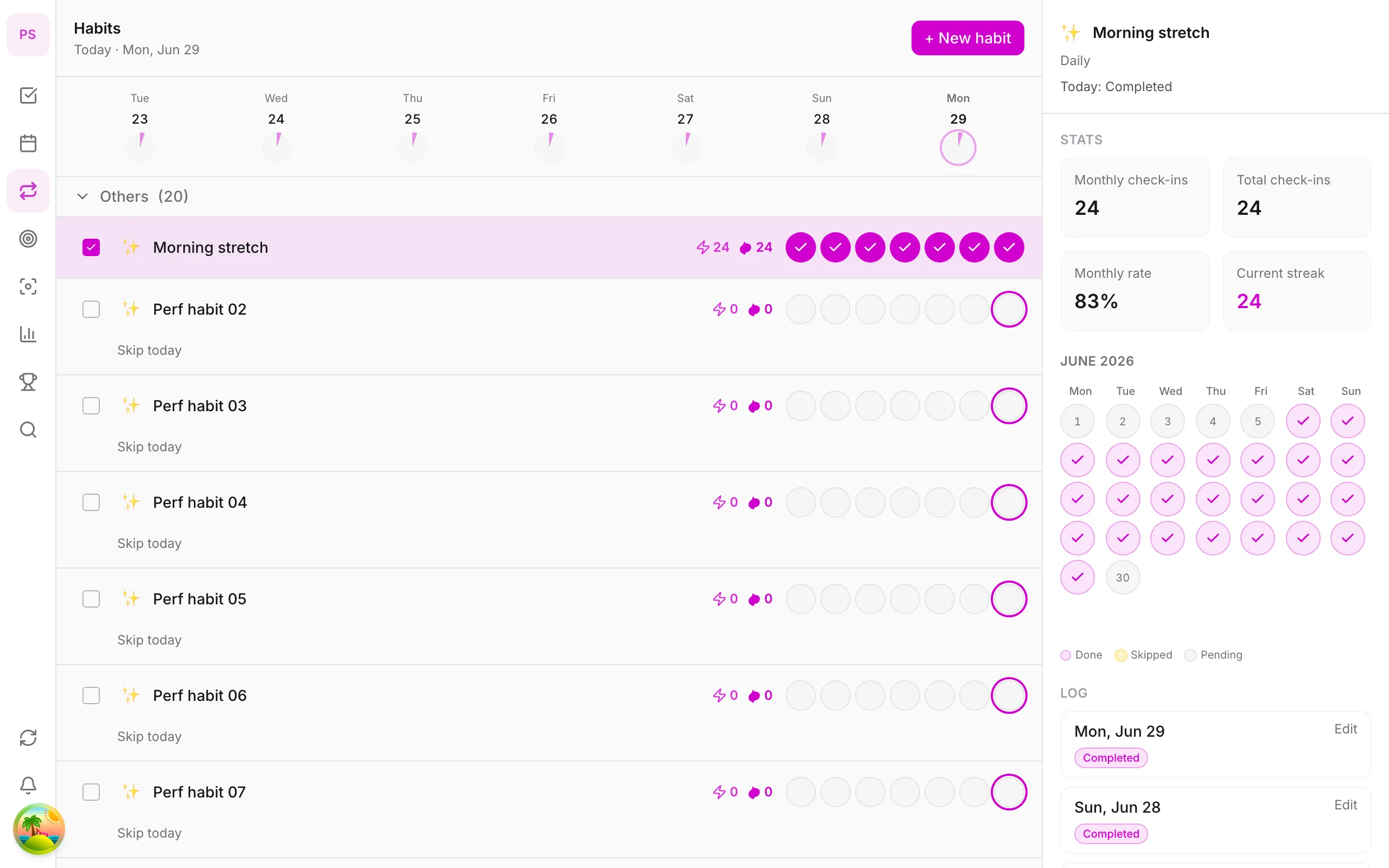
Tap Habits on the bottom tab bar. The screen shows today’s habits and streaks.
2. Create a new habit
Tap + Habit, name it — e.g. Drink water, Read 20 min. Choose frequency: daily or specific weekdays.
3. Complete today
Tap the habit when done. Streak updates immediately; the weekly chart shows which days you kept up.
4. View streak history
Tap a habit for details — longest streak and completion rate. Use as motivation — 100% isn’t required.
5. Build into your routine
Create reminder tasks in Home or time blocks on Calendar (Premium) for important habits.
Mobile tips
- Start with one habit — easier than five at once
- Anchor habits to the same time slot daily
- Streaks and achievements also appear in More → Achievements
Related guides
Try DonDon on your phone
Install on iOS (TestFlight) or Android — your account syncs with web. Sign up free if you don’t have an account yet.
Frequently asked questions
- How many habits are on Free?
- Free has a habit limit — enough to try one main habit. Premium expands to 50 habits.
- How does streak work?
- Each day you mark a habit complete, streak increases. Miss a day and streak resets — unless flexible mode is enabled (if available in app).
- Can habits link to tasks?
- Habits and tasks share the same workspace — create reminder tasks in Home or time blocks on Calendar (Premium).
Create a free account and start managing tasks today.
Smart task management — focus on what matters.
Create free account