alternatives
Structured App Alternatives: Visual Planners (2026)
Structured is a visual timeline planner. Compare Tiimo, Sunsama, Morgen, Akiflow, TickTick and DonDon, including free options and platforms.
What Structured does
Structured presents your day as a vertical timeline where tasks and events sit in time order, with a simple, friendly design. The app is free to use with a paid Pro tier that adds things like connecting your calendars and Reminders and Replan, which automatically moves missed tasks. Store listings show Pro as a monthly or yearly subscription or a one-time lifetime purchase, with prices that vary by country.
People look elsewhere when they want:
- More than a day timeline — habits, goals and statistics.
- Different platforms than the ones they have.
- AI help they control.
- A different pricing model.
Prices change often and differ by region; check store listings. Information checked 2 November 2026.
Alternatives
| App | Style | Reported price | Free start |
|---|---|---|---|
| Tiimo | Visual planner for neurodivergent users | Roughly $54–84/yr by source and region | Limited |
| Sunsama | Guided daily planning | Roughly $16–25/mo | Trial |
| Morgen | Calendar + tasks + AI Planner | Pro about $15/mo yearly | Limited |
| Akiflow | Inbox + time blocking | About $19/mo yearly | Trial |
| TickTick | Tasks + habits + calendar | About $36–50/yr | Yes |
| DonDon | Tasks, habits, goals, optional time blocks | Free; $1.99/mo or $11.99/yr | Yes |
Which fits what
- Visual first and ADHD-aware: Tiimo. See productivity apps for ADHD.
- Calendar-heavy day: Morgen or Akiflow; see Sunsama alternatives.
- All-in-one personal planner: TickTick or DonDon.
Where DonDon is different
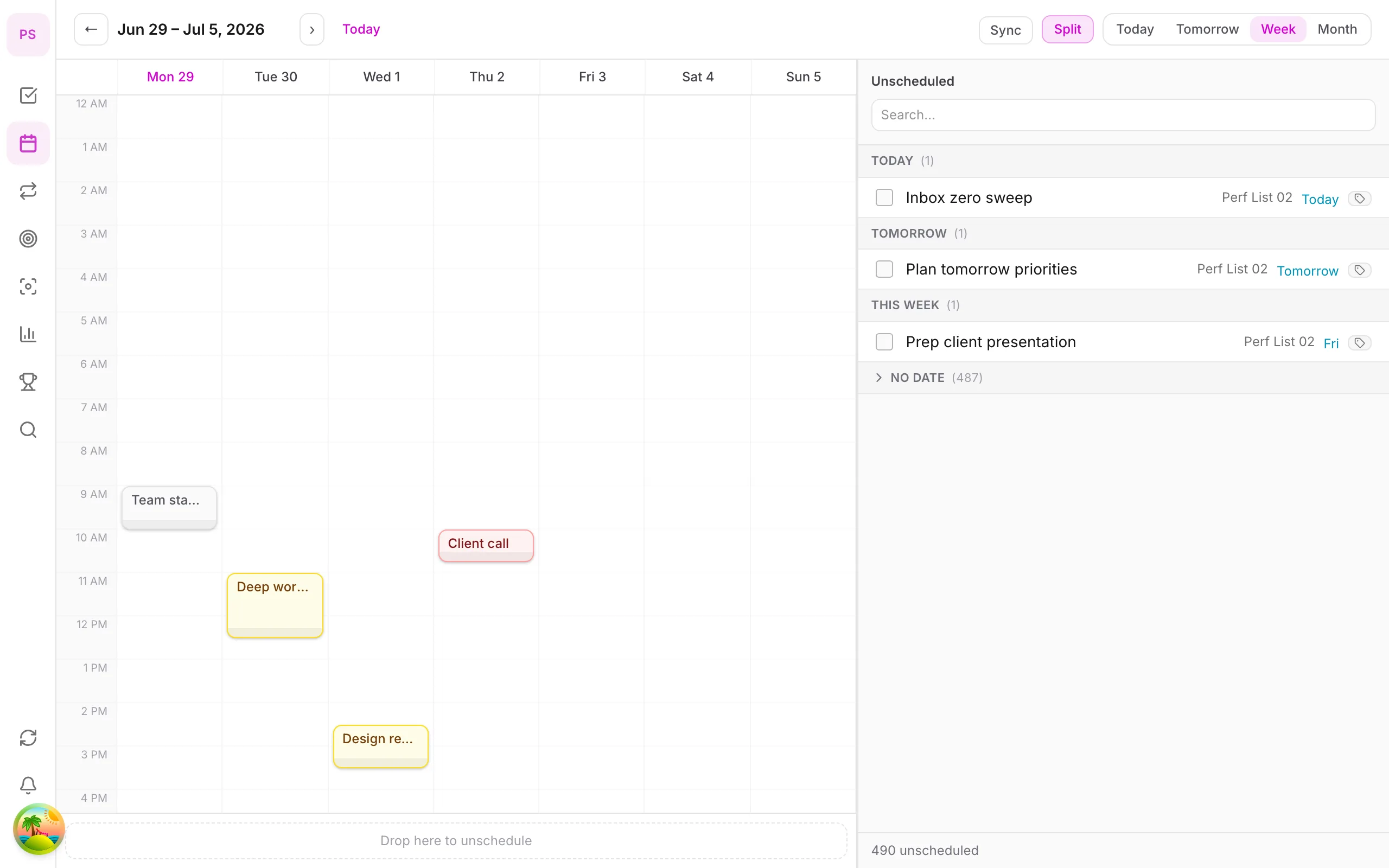
DonDon is not a timeline-first app. Its Today view lists tasks and habits, and the calendar with time blocking (Premium) lets you drag tasks into time slots. It adds week/month/year goals, a Pomodoro timer, achievements and a desktop companion pet (Premium).
AI is optional, uses your own key (Claude, OpenAI, Gemini) or a local model, and can propose time blocks for your approval.
Where DonDon falls short of Structured: the timeline is not the main screen, and automatic rescheduling of missed tasks is not a built-in feature.
Why a timeline suits some brains
A vertical timeline answers a question lists cannot: how much of my day is actually available? Seeing tasks and events sit between 9:00 and 17:00 makes overcommitment obvious. People who feel time blindness, or who struggle to estimate durations, often find this immediately helpful.
The trade-off is that a timeline works best for tasks that have a time. Open-ended work (reading, thinking, long projects) fits less naturally and often ends up in an inbox you rarely open.
Questions to ask before choosing
- Do I plan by time or by priority? Timeline apps favour time; list apps favour priority.
- How many tasks do I have per day? A timeline gets crowded past about ten.
- Do I need habits and goals in the same app?
- Which devices do I use? Check the platform list on the vendor's site.
- How do I want to handle missed tasks? Automatic rescheduling is convenient but can hide overcommitment.
What each alternative does well
Tiimo. A visual planner with routines, designed with neurodivergent users in mind. Strong on visual cues and gentle structure.
Sunsama. A guided planning workflow with a calm interface. Higher price and no permanent free plan.
Morgen. Merges calendars and tasks and adds an AI planner on its paid tier.
Akiflow. Collects tasks from many tools and lets you time block them.
TickTick. Tasks, habits, Pomodoro and calendar views with a large feature set.
DonDon. Task-first, with a Today view, habits, goals, Pomodoro and (Premium) a calendar for time blocking. Optional AI on your own key or a local model.
Using DonDon in a timeline-like way
DonDon is not built around a vertical timeline, but you can get most of the benefit:
- Give your tasks times and durations (a Premium feature) so they show on the calendar.
- Use the day view of the calendar each morning to see how full the day is.
- Use the Timeline task view where available (it is one of the advanced views, which are Premium).
- Keep a buffer block visible so you do not fill every hour.
If you primarily want a timeline, Structured and Tiimo will feel more natural from the first minute.
Switching tips
- Move this week only. Bring this week's tasks and recurring items, not your history.
- Recreate routines carefully. Morning and evening routines are where time-based apps shine, so rebuild them first.
- Give it a week. A planner you have used for two days has not had a chance to change your habits.
- Keep notes about friction. If you hit the same irritation three times, that tool is not for you.
Platform and pricing caveats
Platform support and prices change often. Before paying anything:
- Confirm the app runs on all your devices.
- Check regional pricing in the store listing, because it varies by country.
- Read what the free tier actually includes.
- Prefer monthly plans while you are testing, then switch to yearly if you stay.
Choosing quickly
- Do you think in a timeline? Try Structured or Tiimo first.
- Do habits and goals matter? Try TickTick or DonDon.
- Do you need desktop and web apps? Check platform support before paying.
See best time blocking apps and DonDon's pricing.
Frequently asked questions
- What is a good alternative to the Structured app?
- Tiimo offers a similar visual approach, aimed at neurodivergent users. Sunsama, Morgen and Akiflow are calendar-first planners. DonDon combines tasks, habits and goals with an optional calendar.
- Is Structured free?
- The app can be used free, with a paid Pro tier that adds features such as calendar connections and automatic rescheduling. Pro pricing varies by listing and region.
- Is there a Structured alternative for Windows or Android?
- Check each app's current platform list. Web-based planners such as Sunsama, Morgen and DonDon work in a browser on any system, and DonDon has desktop apps for Windows and macOS.
Create a free account and start managing tasks today.
Smart task management — focus on what matters.
Create free account