use-case
Best Productivity Apps for ADHD: Time Blocking & Habits
What ADHD-friendly planning apps need, and how Tiimo, Structured, Habitica, Finch, TickTick and DonDon compare. Practical, not medical advice.
This article is general productivity advice, not medical advice. If you think you have ADHD, talk to a qualified clinician.
What tends to help
People with ADHD often describe the same friction points. Look for apps that reduce them:
- Fast capture. If adding a task takes more than a few seconds, it will not happen.
- Visible time. A visual timeline makes the day concrete.
- Small steps. A big task needs breaking down into a first action.
- Gentle reminders. Reminders that are specific and few beat constant noise.
- Low shame. Missed tasks should be easy to move, not red failure.
- Focus support. A timer such as Pomodoro creates a start line.
Comparison
| App | Strength | Reported price | Notes |
|---|---|---|---|
| Tiimo | Visual planner designed around neurodivergent needs | Roughly $54–84/yr depending on source and region | Varies by country |
| Structured | Visual day timeline | Free app; Pro roughly $10–20/yr | Check store listing |
| Habitica | Gamified habits and to-dos | Free; sub about $4.99/mo | RPG style |
| Finch | Self-care pet | Plus reported about $40–70/yr | Check in-app |
| TickTick | Tasks, habits, Pomodoro | About $36–50/yr | Feature-dense |
| DonDon | Quick capture, focus timer, habits, AI breakdown | Free; $1.99/mo or $11.99/yr | General planner |
Reported prices checked 2 November 2026; they vary by source and region.
Features in DonDon people often find useful
- Quick capture: type "Call dentist tomorrow 9am" and it parses the date; free.
- Break down a daunting task into small steps with AI on your own key (optional).
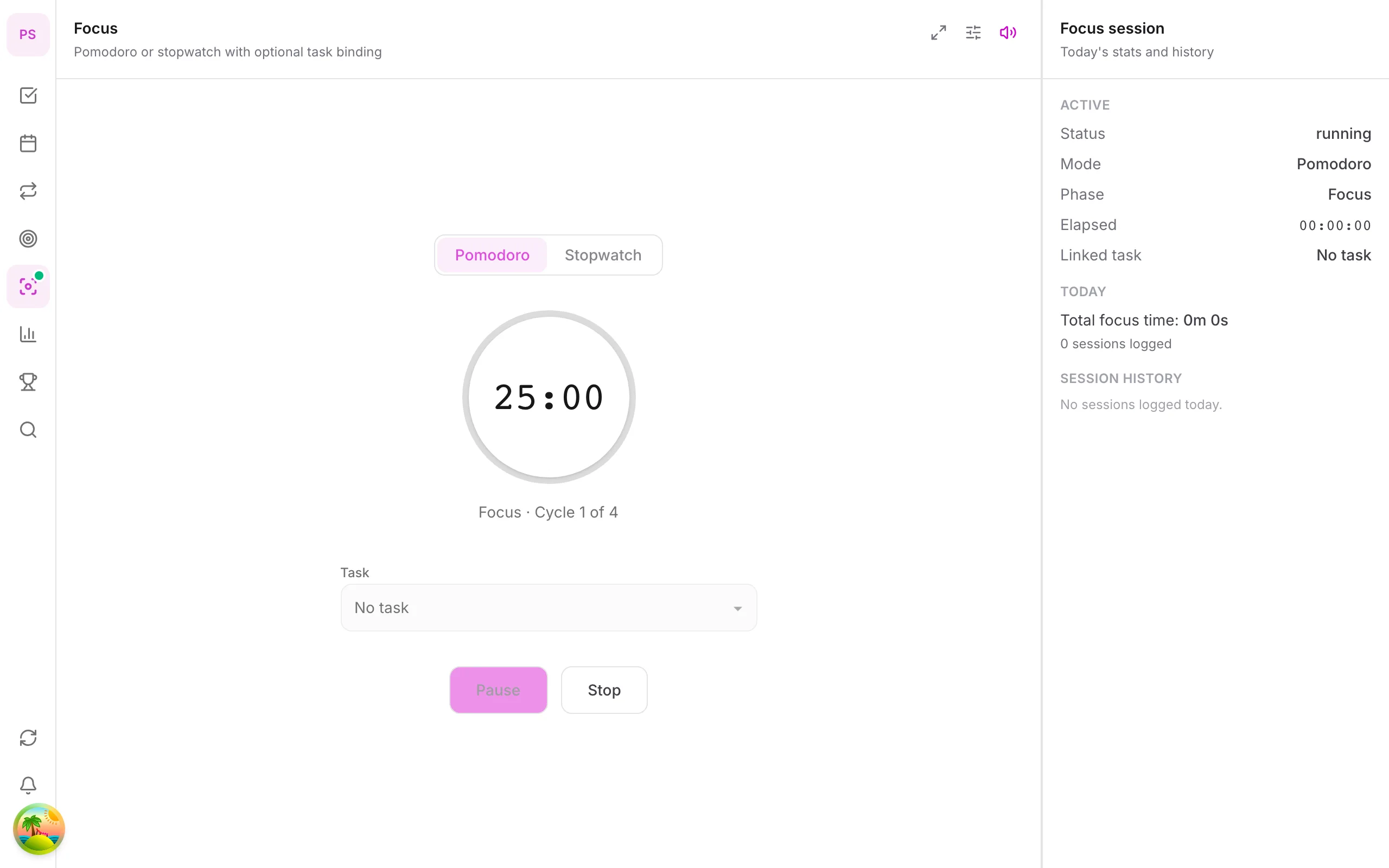
- Pomodoro timer to start a focus session from a task; focus sounds are Premium.
- Habit streaks with a calendar heatmap; free includes one habit, Premium up to 50.
- Desktop companion pet with reminders (Premium).
- Calendar time blocking (Premium) to make time visible.
Honest limits
DonDon is not designed specifically for ADHD. It has no body-doubling, no visual routines as a main feature, and AI quality depends on the model you choose. If a visual-first planner is what you need, try Tiimo or Structured first.
A simple setup that is easy to keep
- One inbox. Capture everything with quick-add.
- Three tasks a day. Choose a top three; ignore the rest.
- One first step. For each big task, write only the first action.
- One 25-minute focus block to start. See Pomodoro with a task list.
- One habit. Add a second only after two weeks.
Principles behind ADHD-friendly planning
Many people with ADHD describe the same pattern: knowing what to do is not the problem, starting is. Tools that help tend to lower the cost of starting and reduce the cost of recovering when a plan fails. This is general productivity guidance, not treatment.
Externalise everything. Memory is unreliable under stress. Put tasks, times and reminders in a system you trust, so you are not holding them in your head.
Reduce friction at capture. If adding a task takes more than a few seconds, tasks will be lost. Look for quick-add with natural language and a widget or shortcut.
Make time visible. "Later" is hard to feel. A timeline or calendar makes durations concrete.
Shrink the first step. A task like "tax return" is paralysing. "Open the tax folder" is not.
Design for failure. Missed days will happen. The best systems make it easy to restart without shame.
Use external structure. Timers, body doubling and routines provide the start line that internal motivation sometimes cannot.
Features that tend to matter
| Feature | Why people find it useful |
|---|---|
| Instant capture | Catches thoughts before they vanish |
| Visual timeline | Shows how much time a day actually holds |
| Reminders with context | A specific reminder beats a vague one |
| Small steps / breakdown | Turns dread into a first action |
| Focus timer | Gives a clear start and end |
| Streaks with forgiveness | Motivates without punishing |
| Gentle gamification | Adds reward for starting |
| Easy rescheduling | Missed tasks move without drama |
No single app has all of these, and what helps varies a lot between people.
A low-effort daily routine
Morning (5 minutes).
- Open Today. Pick three tasks.
- For each, write the first physical action.
- Put one in a calendar slot.
During the day. 4. Capture anything new into the inbox immediately. Do not triage yet. 5. Start a 15 to 25 minute focus session for the first task. Short is fine.
Evening (3 minutes). 6. Move anything unfinished to tomorrow or drop it. No guilt, just a decision. 7. Check off the habit you are building.
If this feels like too much, do only the first three steps for a week.
Using AI carefully
AI can help in one specific way: breaking a daunting task into small concrete steps. Paste or type the task and ask for steps you could each finish in under 20 minutes, with the very first one being something physical and tiny.
Cautions:
- Review the output. Models can invent steps that do not apply.
- Do not let planning replace doing. Five minutes is enough.
- Keep sensitive details out of cloud AI, or use a local model; see local AI to-do app with Ollama.
In DonDon, AI is optional and runs on your own key or a local model. Quick-add and the Pomodoro timer work without it.
When an app is not enough
Software helps, but it is not a substitute for support. Many people combine an app with strategies like body doubling, scheduled routines and, where appropriate, professional guidance. If you are struggling, a clinician or coach can offer help an app cannot.
Choosing and testing
- Shortlist two apps from the table.
- Use each for three days, on real work.
- Ask: did I open it voluntarily? Did it make starting easier? Did I feel worse after a missed day?
- Keep the one you actually opened. Features matter less than use.
Related: time blocking guide, brain dump to to-do list and habit stacking examples.
Related reading
Time blocking guide, brain dump to to-do list, and best habit tracker + to-do apps.
Frequently asked questions
- What is the best planner app for ADHD?
- There is no single best app. Visual planners such as Tiimo and Structured suit people who need to see the day. Gamified apps help others. Pick the one you will open daily.
- Is DonDon built for ADHD?
- No. DonDon is a general planner. Some features commonly liked by people with ADHD are quick capture, a focus timer, habit streaks and AI task breakdown, but it is not a medical or ADHD-specific tool.
- Do I need to pay for an ADHD planner?
- Not necessarily. Start with free tiers, because the best app is the one you keep using.
Create a free account and start managing tasks today.
Smart task management — focus on what matters.
Create free account