Quick actions
Bulk complete tasks (web/desktop)
Mark multiple tasks Done from bulk pane — not on mobile; swipe right per task on the app.
Free
On mobile: Swipe right on task row or tap checkbox to Done each task.
What you’ll learn (web/desktop)
- Select multiple open tasks
- Use Complete in bulk pane
- See achievements update
Before you start
| Platforms | Web · Desktop |
| Plan | Free |
Steps (web/desktop)
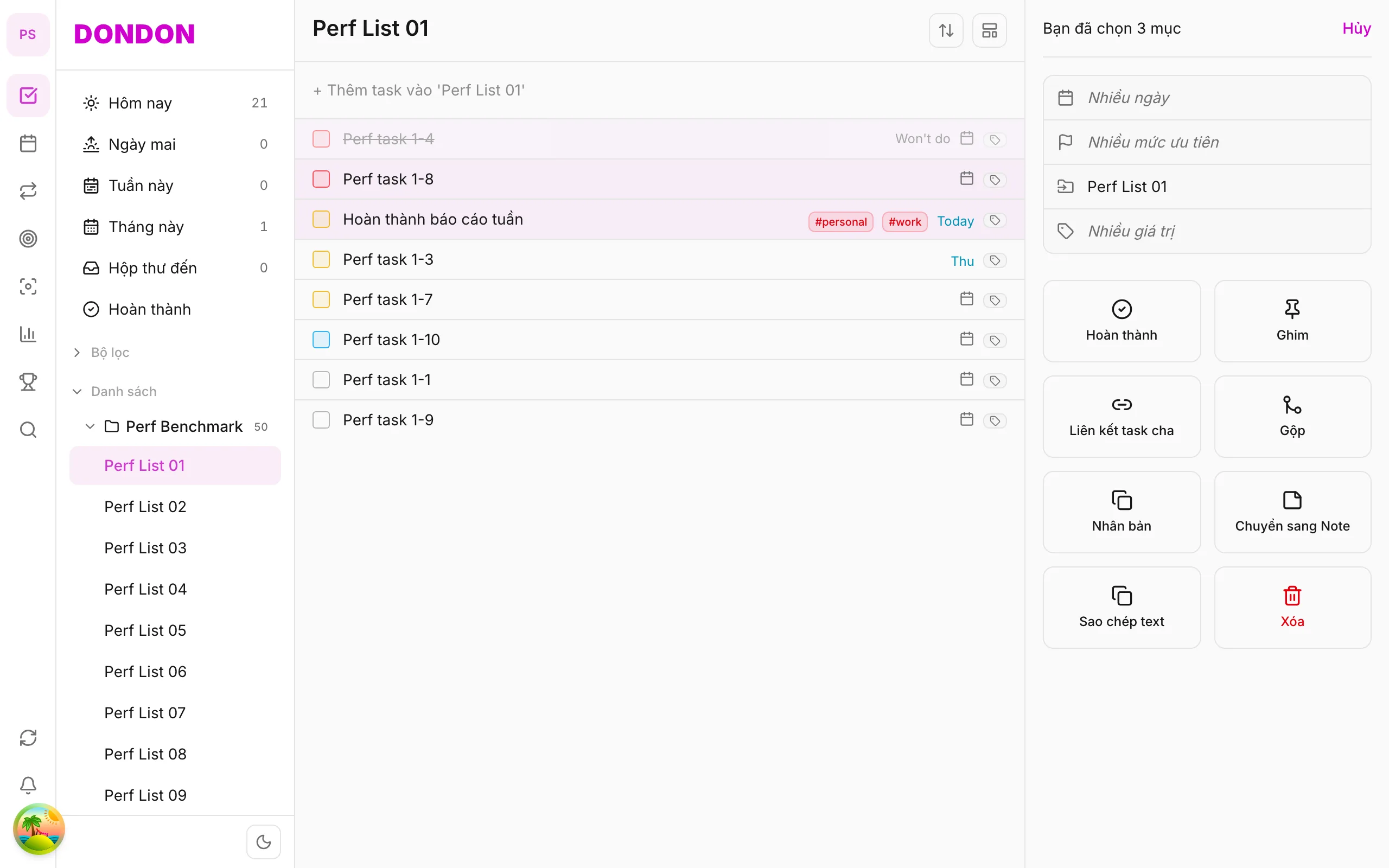
1. Select tasks
⌘/Ctrl + click tasks to close.
2. Open bulk pane
Header shows correct selection count.
3. Tap Complete
All selected tasks mark done.
4. Undo
Use undo toast if available; else uncheck in Completed.
Mobile alternative
- Swipe right / checkbox — see Tasks & lists
- Achievements update per Done
Related guides
Try DonDon on your phone
Install the app — quick Done with swipe. Sign up free.
Frequently asked questions
- Is bulk complete on mobile?
- **Not yet**. On app: **swipe right** or tap checkbox per task.
- Does complete count for streak?
- Yes — each done task contributes to completion stats.
- Selected wrong tasks?
- On web: undo toast or uncheck in Completed.
Create a free account and start managing tasks today.
Smart task management — focus on what matters.
Create free account