Quick actions
Copy a task link on the app
Copy a task deep link to share — via Task detail or long-press on iPhone/Android.
Free
What you’ll learn
- Copy task links on mobile
- Paste into chat or notes
- Open links from other apps (if supported)
Before you start
| Platforms | iOS (TestFlight) · Android — primary guide. |
| Plan | Free |
| Prerequisites | Task exists in workspace. |
Steps
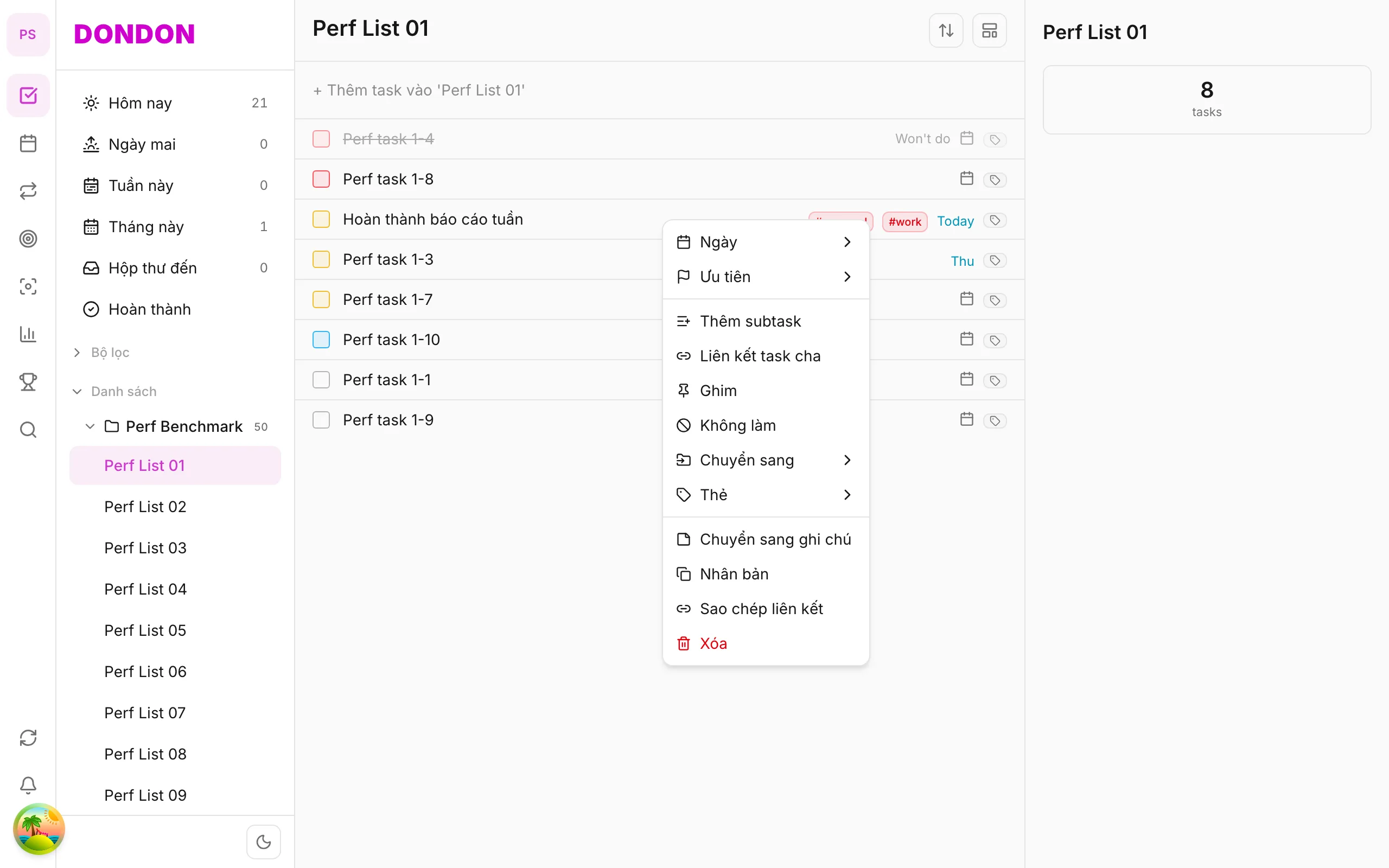
1. Open share menu
Long-press task → Copy link.
Or Task detail → ⋯ → Copy link.
2. Link on clipboard
System confirms copy. Paste into Messages, Slack, Notes, etc.
3. Open link
Tap link on same device — DonDon opens the task (if installed and signed in).
Mobile tips
- Share with teammates in same workspace — don’t leak links outside org
- Instead of link: duplicate task in same workspace
On web/desktop: Right-click → Copy link; URL in address bar.
Related guides
Try DonDon on your phone
Install on iOS (TestFlight) or Android. Sign up free if you don’t have an account yet.
Frequently asked questions
- Does the link open on mobile?
- Yes — if recipient has the app and workspace access; deep links to the task.
- I don't see Copy link?
- Check Task detail → **⋯** menu or long-press → **Share** / **Copy link** (per app version).
Create a free account and start managing tasks today.
Smart task management — focus on what matters.
Create free account