Quick actions
Duplicate a task on the app
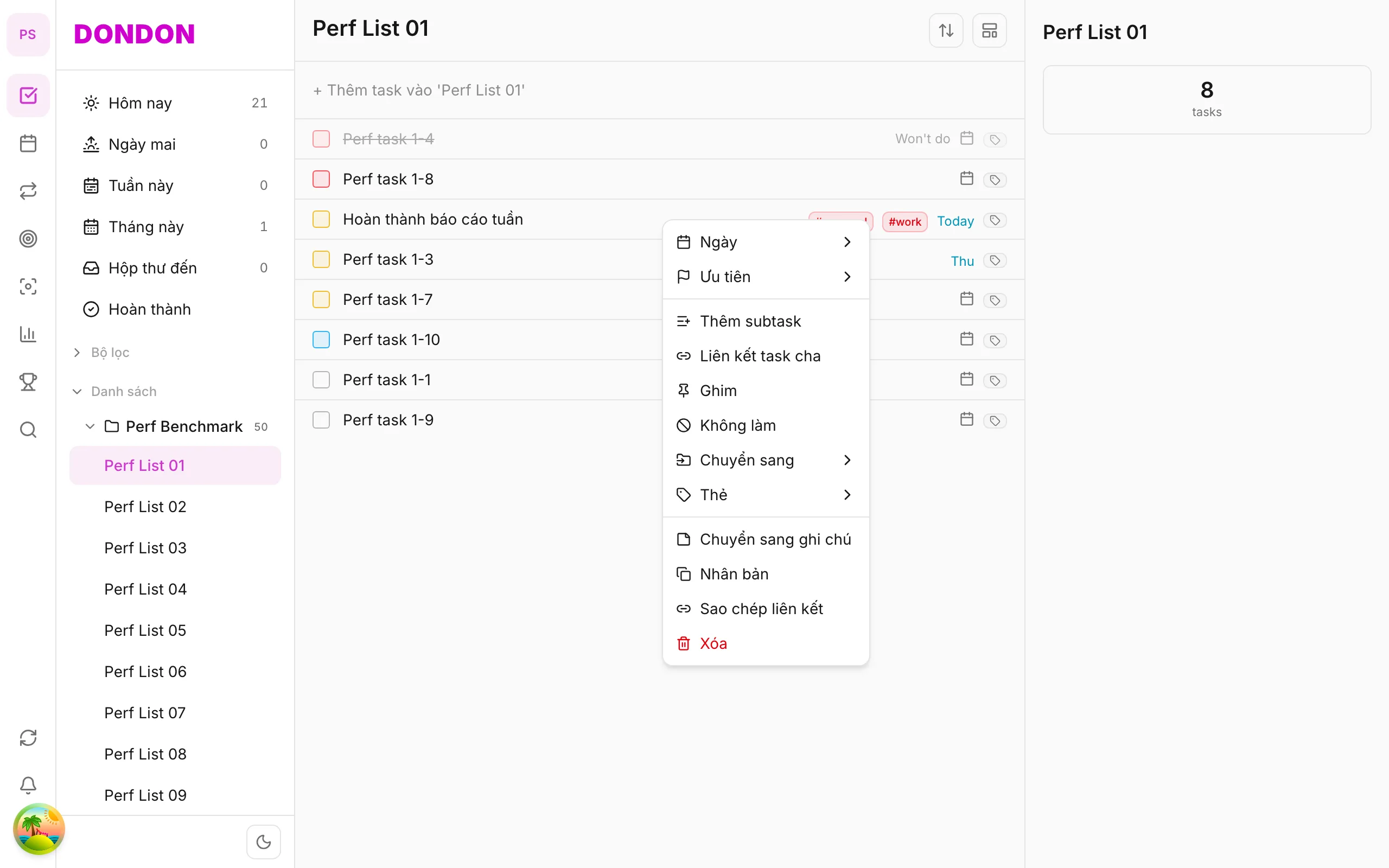
Create a copy in the same list via long-press → Duplicate — save time on iPhone/Android.
Free
What you’ll learn
- Duplicate tasks with long-press
- Edit the copy after creation
- Use for recurring work templates
Before you start
| Platforms | iOS (TestFlight) · Android — primary guide. |
| Plan | Free |
| Prerequisites | Source task on Home tab. |
Steps
1. Long-press source task
Long-press the template task.
2. Tap Duplicate
Tap Duplicate. Copy appears below (or at list top).
3. Edit copy
Tap copy → Task detail → change name, date, list if needed.
Mobile tips
- Scheduled recurrence: use Repeat (Premium) instead of manual duplicate
- Weekly review template: duplicate checklist task
On web/desktop: Right-click → Duplicate.
Related guides
Try DonDon on your phone
Install on iOS (TestFlight) or Android. Sign up free if you don’t have an account yet.
Frequently asked questions
- Does the copy keep tags and priority?
- Usually yes — metadata copies from source (except Done state).
- Duplicate to another list?
- Duplicate in same list first, then [move to list](/en/guides/move-task-to-list/).
Create a free account and start managing tasks today.
Smart task management — focus on what matters.
Create free account