Quick actions
Add subtasks on the app (Premium)
Break work into Subtasks section in Task detail — Premium feature on iPhone/Android.
What you'll learn
- Add subtasks in Task detail (Premium)
- Complete subtasks individually
- Track parent task progress
Before you start
| Platforms | iOS (TestFlight) · Android — primary guide. |
| Plan | Premium — subtasks |
| Prerequisites | Premium plan; parent task on Home tab. |
This feature requires Premium. See comparison.
Steps
1. Open parent task
Tap the large task → Task detail.
2. Add subtask
Scroll to Subtasks → tap + → enter name → save.
3. Complete subtask
Tap subtask checkbox when done. Parent progress updates.
4. Edit subtask
Tap subtask → detail → edit name, date, priority.
Mobile tips
- On Free: create separate tasks and link parent if needed
- Keep subtasks small — finish in one session
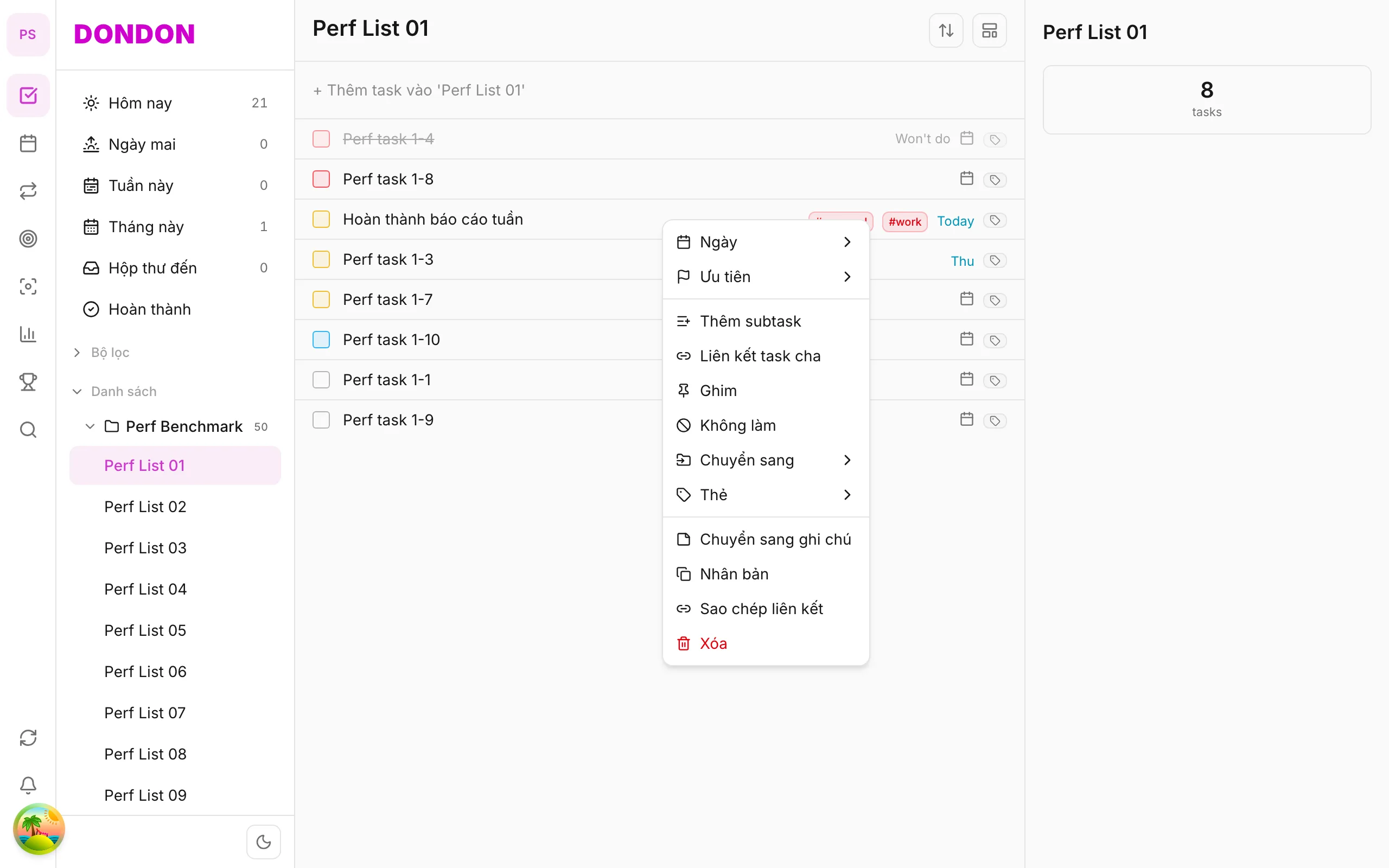
On web/desktop: Right-click parent → Add subtask inline.
When subtasks help
Large tasks feel heavy because you cannot see the first step. Breaking "Plan the offsite" into small steps makes it concrete: you can start, finish one part and see progress. Subtasks do this inside the parent, so everything stays together.
A worked example
Parent: Plan the team offsite. Subtasks: Pick dates, Shortlist venues, Send survey, Book venue, Share agenda. As you tick each one off, the parent's progress updates, which makes a big project easier to continue day after day.
Good subtask habits
- Make each subtask small enough to finish in one sitting.
- Start each with a verb: "Call", "Draft", "Send".
- Give a date only to subtasks that really have one. Not every step needs a deadline.
- Keep to one level of steps. Deeper nesting is hard to read on a phone.
Free alternative
Subtasks are a Premium feature. On Free, create separate tasks and link them to a parent. That gives a similar structure, with each child as a full task.
Common mistakes
- Creating twenty subtasks for a simple job. If a task has one step, it does not need subtasks.
- Hiding the real next action. Put the first step at the top so you know where to start.
Related guides
Try DonDon on your phone
Install on iOS (TestFlight) or Android. Sign up free if you don't have an account yet.
Frequently asked questions
- Do subtasks need Premium?
- Yes — subtasks are Premium. On Free, create separate tasks instead.
- Can subtasks have due dates?
- Yes — tap subtask → detail to set dates like regular tasks.
- Where do I add subtasks on mobile?
- Parent Task detail → **Subtasks** section → **+**.
Create a free account and start managing tasks today.
Smart task management — focus on what matters.
Create free account