Quick actions
Link a parent task on the app
Attach child tasks to a parent via Task detail or menu — hierarchy on iPhone/Android.
What you'll learn
- Link tasks to a parent on mobile
- View children in parent Task detail
- Remove links when needed
Before you start
| Platforms | iOS (TestFlight) · Android — primary guide. |
| Plan | Free — basic parent linking |
| Prerequisites | Parent and child tasks in workspace. |
Steps
1. Open child task
Tap task to link → Task detail.
2. Pick parent
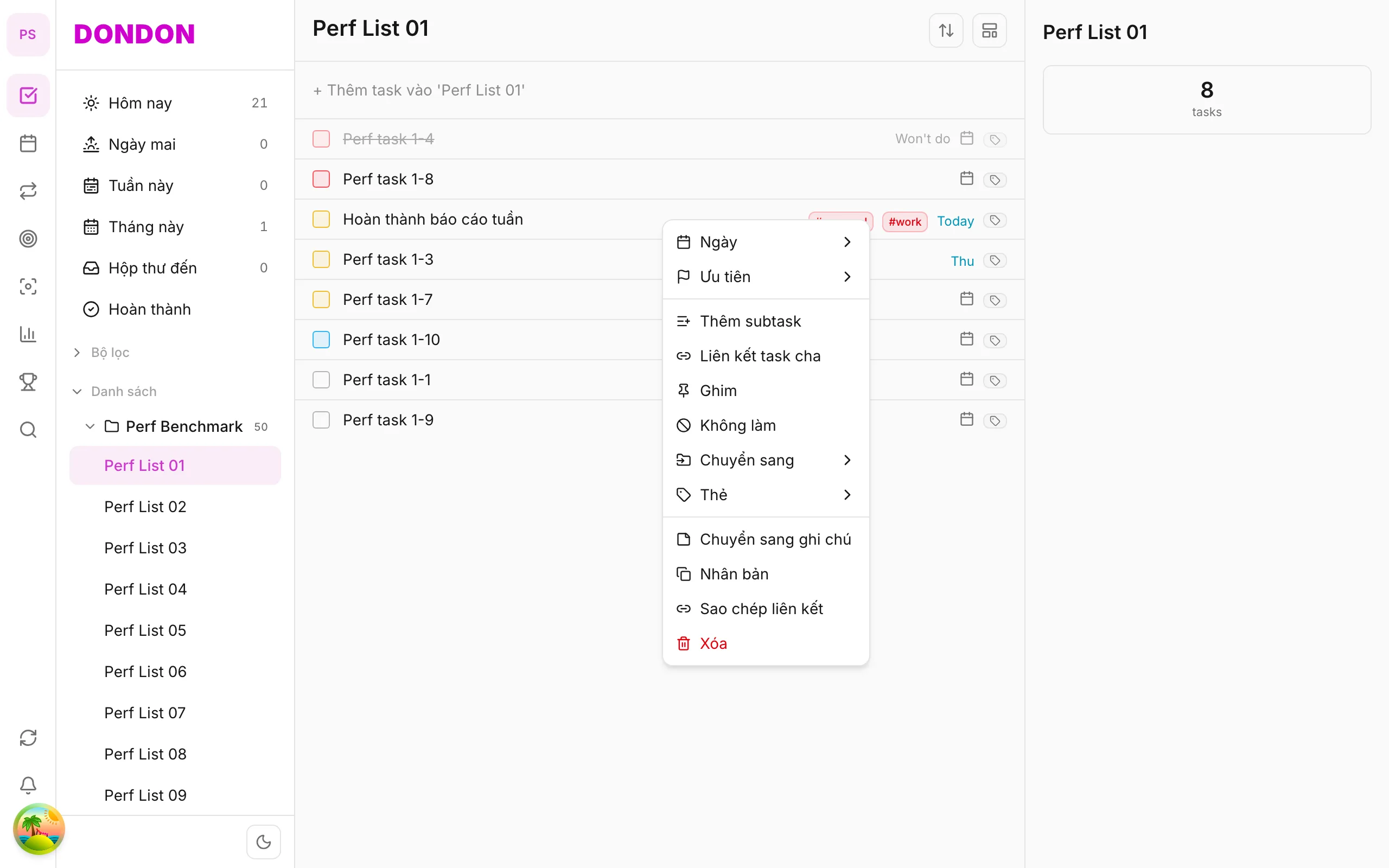
Tap Parent task / Link parent → search and select parent.
3. Confirm
Child shows parent indicator; open parent to see children (if UI supports).
4. Unlink
Task detail → remove parent, or long-press → Unlink parent.
Mobile tips
- Need inline breakdown? Use Subtasks (Premium)
- Keep hierarchy shallow — easier on small screens
On web/desktop: Right-click child → Link parent task.
When linking helps
Some work has a clear overall goal and several smaller tasks that serve it. Linking a task to a parent shows that relationship without forcing you to put everything into one long description.
Parent link or subtask?
- Link parent connects two existing tasks. It is available on the Free plan.
- Subtasks (Premium) are small steps created inside the parent and tracked as progress.
Use a link when the child is a real task of its own, with its own date and list. Use subtasks for short steps you will finish in one session.
A worked example
You have a parent task "Launch newsletter". You already have separate tasks "Write draft", "Design header" and "Schedule send". Open each child, choose Parent task, and select "Launch newsletter". Opening the parent now shows what it depends on.
Tips
- Keep hierarchy shallow. Two levels are easy to read on a small screen; five are not.
- Unlink a child when its purpose changes, instead of leaving a misleading connection.
- Give parents a clear outcome, not a vague label like "Stuff".
Common mistakes
- Linking everything to a single giant parent, which becomes a second inbox.
- Expecting the parent to complete automatically when children are done. Finish it yourself when the outcome is reached.
Related guides
Try DonDon on your phone
Install on iOS (TestFlight) or Android. Sign up free if you don't have an account yet.
Frequently asked questions
- How is this different from subtasks?
- Subtasks (Premium) live inside parent; parent link is a relation between two standalone tasks.
- How do I remove parent link?
- Task detail → remove parent link, or long-press → **Unlink parent**.
Create a free account and start managing tasks today.
Smart task management — focus on what matters.
Create free account