Quick actions
Copy a task link on the app
Copy a task deep link to share — via Task detail or long-press on iPhone/Android.
What you'll learn
- Copy task links on mobile
- Paste into chat or notes
- Open links from other apps (if supported)
Before you start
| Platforms | iOS (TestFlight) · Android — primary guide. |
| Plan | Free |
| Prerequisites | Task exists in workspace. |
Steps
1. Open share menu
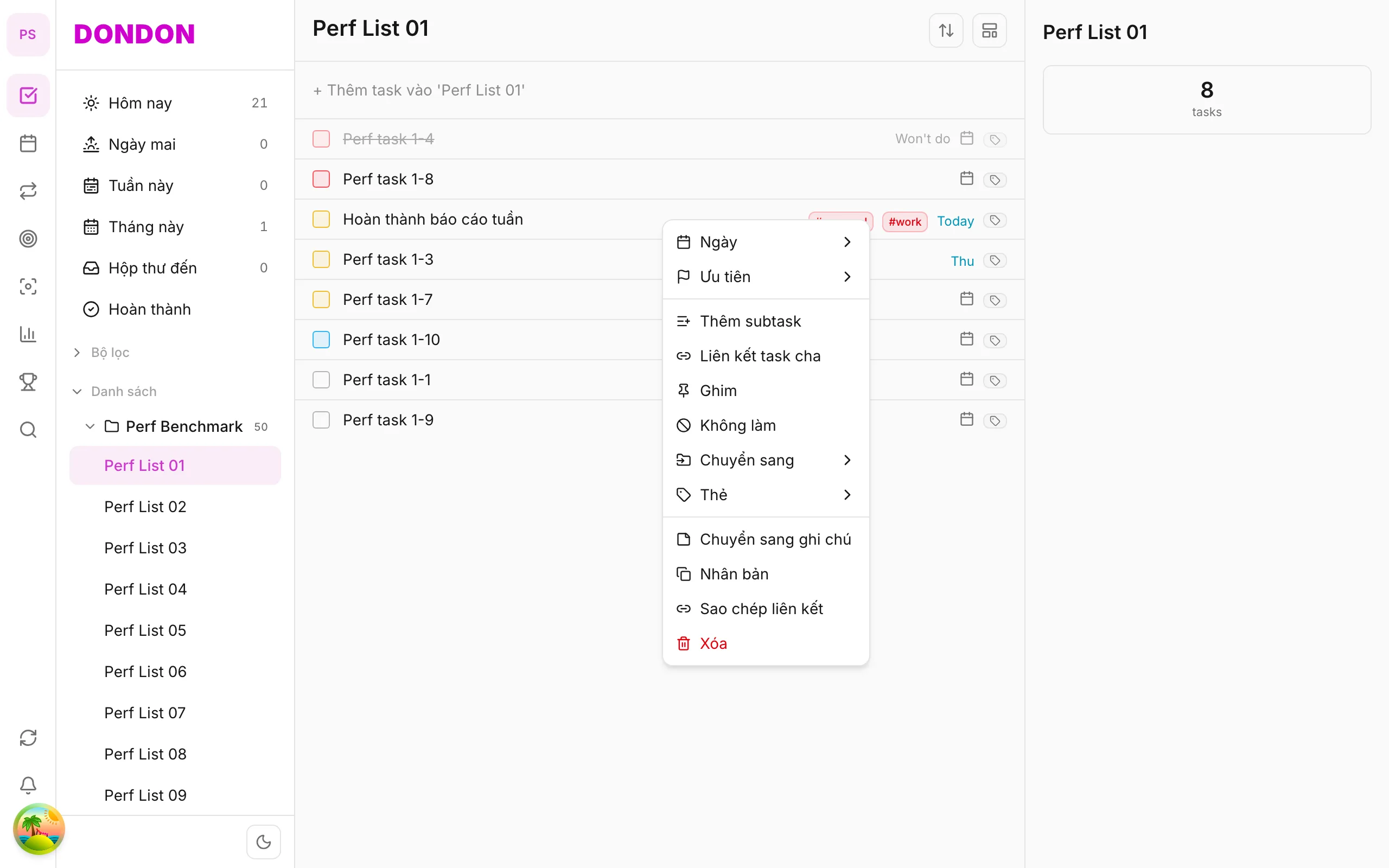
Long-press task → Copy link.
Or Task detail → ⋯ → Copy link.
2. Link on clipboard
System confirms copy. Paste into Messages, Slack, Notes, etc.
3. Open link
Tap link on same device — DonDon opens the task (if installed and signed in).
Mobile tips
- Share with teammates in same workspace — don't leak links outside org
- Instead of link: duplicate task in same workspace
On web/desktop: Right-click → Copy link; URL in address bar.
When a link helps
A link points straight to one task. Instead of typing "the task about the Q3 budget", you paste a link in chat or in your notes and you land on the exact item.
Good uses
- In your notes. Link from a meeting note to the task it created.
- As a bookmark. Paste a link to a task into another app so you can jump back to it.
- Across devices. Copy a link on the phone and open it where you are signed in.
A worked example
You write a project plan in a note and want each step to point to its task. Long-press a task, tap Copy link, then paste it next to the step. When you tap the link later, DonDon opens the task directly.
Tips
- A link opens the task in DonDon when you are signed in to the same workspace. Do not paste it anywhere public.
- If you want a second, independent copy of a task, use Duplicate instead.
- On web, the address bar already holds the task URL, so you can copy it from there.
Common mistakes
- Opening a link on a device where you are not signed in. Sign in first, then tap it again.
- Copying a link to a task you later delete. The link will no longer work.
Related guides
Try DonDon on your phone
Install on iOS (TestFlight) or Android. Sign up free if you don't have an account yet.
Frequently asked questions
- Does the link open on mobile?
- Yes — if recipient has the app and workspace access; deep links to the task.
- I don't see Copy link?
- Check Task detail → **⋯** menu or long-press → **Share** / **Copy link** (per app version).
Create a free account and start managing tasks today.
Smart task management — focus on what matters.
Create free account