Quick actions
Mark a task Won't do on the app
Close tasks you won't pursue via long-press → Won't do — keep history on iPhone/Android.
What you'll learn
- Mark tasks Won't do with long-press
- Tell apart from Done and Delete
- Restore if you change your mind
Before you start
| Platforms | iOS (TestFlight) · Android — primary guide. |
| Plan | Free |
| Prerequisites | Active task on Home tab. |
Steps
1. Long-press task
Long-press the task you won't pursue.
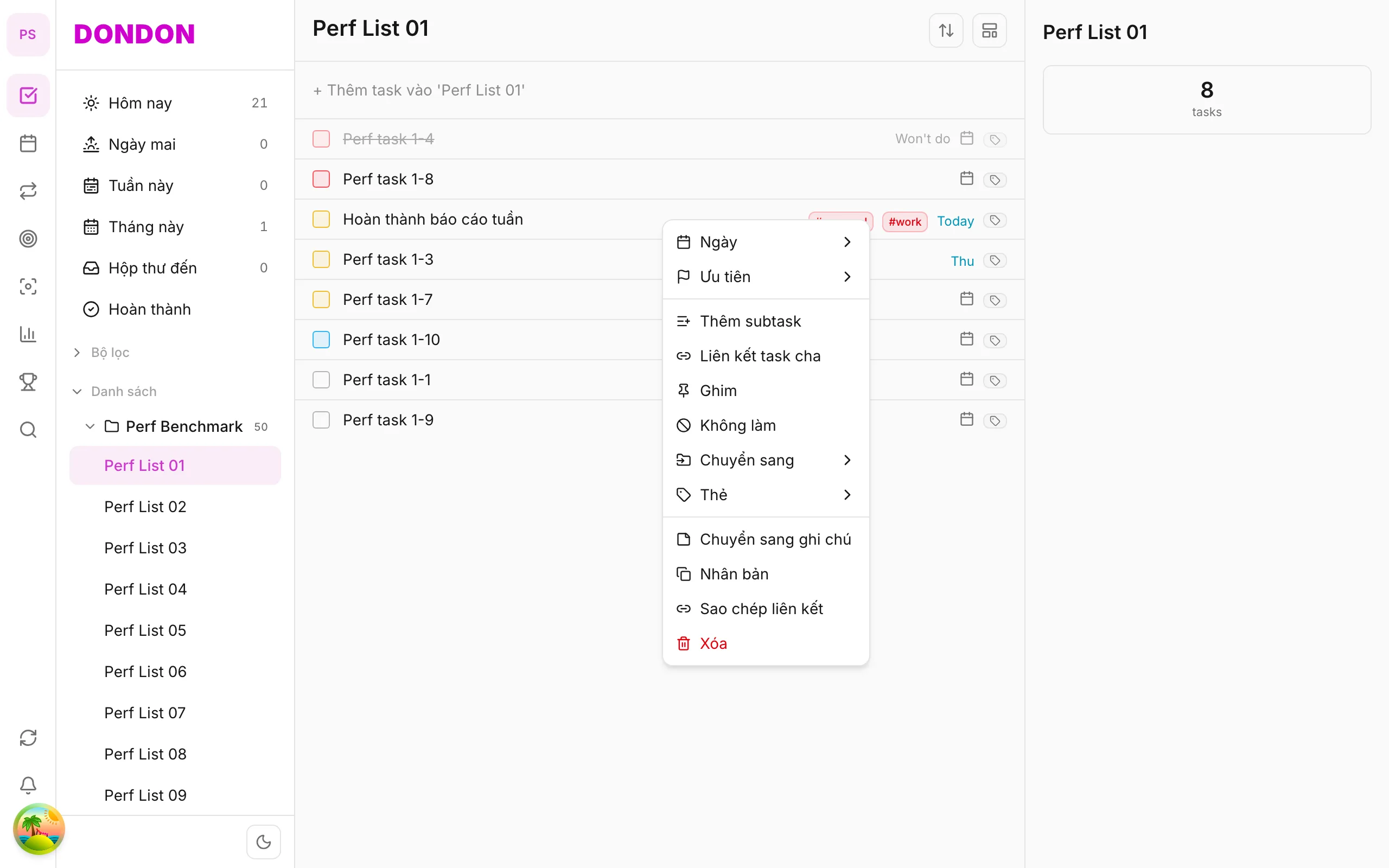
2. Tap Won't do
Tap Won't do. Task changes state (hidden or struck — per UI).
3. Restore (if needed)
Long-press won't-do task → Restore.
Mobile tips
- Use when canceling scope, not completing work
- Compare Delete task when you don't need history
On web/desktop: Right-click → Won't do.
When "Won't do" helps
Not every task should be finished. Plans change, a client cancels, or you decide an idea is not worth the effort. Marking a task Won't do records that decision honestly: it is neither completed nor erased.
Won't do, Done or Delete?
| Choice | Use it when |
|---|---|
| Done | You did the work |
| Won't do | You decided not to do it |
| Delete | The task was a mistake or you never need to see it again |
Keeping the difference clear makes your statistics more truthful. A task you skipped on purpose should not count as an achievement.
A worked example
You planned to "Redesign the pricing table", but the team chose to keep the current one. Mark the task Won't do so the decision stays visible, then move on. If priorities change next quarter, you can restore it instead of creating it again.
Common mistakes
- Deleting tasks to clear your list. You lose the record of what you decided.
- Using Won't do to postpone. If you only want it later, change the due date instead.
Related guides
Try DonDon on your phone
Install on iOS (TestFlight) or Android. Sign up free if you don't have an account yet.
Frequently asked questions
- How is this different from delete?
- Won't do keeps a record (restorable); Delete removes permanently.
- Restore a won't-do task?
- Long-press won't-do task → **Restore**.
Create a free account and start managing tasks today.
Smart task management — focus on what matters.
Create free account