best-of
Best AI Daily Planner Apps in 2026 (Free Options)
Compare AI daily planners: Motion, Sunsama, Structured, Tiimo, Morgen and DonDon. What is free, what is paid, and how each one plans your day.
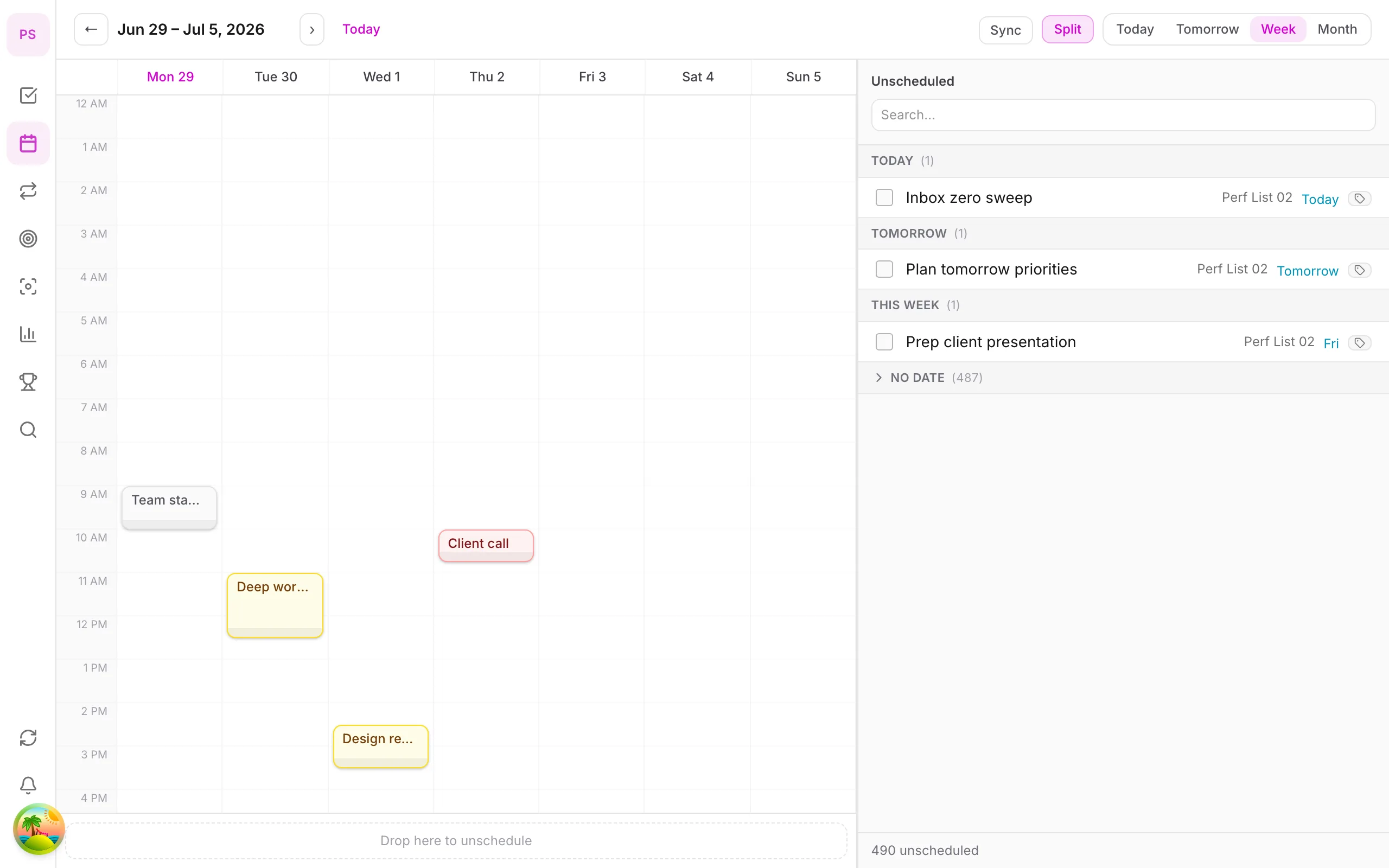
What an AI daily planner should actually do
A good daily planner answers three questions every morning: what matters today, when will I do it, and what will I drop if the day goes sideways? AI helps with the second and third. It turns a pile of tasks into a realistic schedule and re-proposes when plans change.
Comparison
| App | How it plans | Reported price | Free option |
|---|---|---|---|
| Sunsama | Guided morning planning ritual | Roughly $16–25/mo | Trial only |
| Motion | Autonomous scheduling | Roughly $19–49/mo | Trial |
| Morgen | Calendar + tasks + AI Planner | Pro about $15/mo yearly | Limited basic |
| Structured | Visual timeline | Free app; Pro roughly $10–20/yr | Yes |
| Tiimo | Visual planner built around neurodivergent needs | Roughly $54–84/yr depending on source and region | Limited |
| DonDon | Tasks, habits, goals + time blocks; AI on your key | Free; $1.99/mo or $11.99/yr | Yes |
Reported figures checked 2 November 2026; they differ by source and region, so confirm on each vendor's page.
How each one thinks about your day
- Sunsama is deliberately manual: you pull tasks into today, and it nudges you to be realistic. Calm, but no free plan.
- Motion is the most automatic. You hand it deadlines and it builds the schedule, at a higher price. See Motion alternatives.
- Structured and Tiimo are visual-first. Tiimo is designed around ADHD and autistic users; see productivity apps for ADHD.
- DonDon keeps tasks, habits and goals in one place, then lets you ask your own AI model to propose time blocks.
A practical morning routine with DonDon
- Capture loose thoughts with quick-add:
Send invoice Thursday 2pm !!. - Break down one large task with AI so it becomes next actions.
- Place the three that matter into time blocks (time blocking is Premium).
- Check habits in the Today view so a streak does not slip.
- Start a focus session with the built-in Pomodoro timer.
AI is optional and off by default; it uses your own key or a local model. See plan your day with Claude or ChatGPT.
What DonDon does not do
It does not re-plan your whole day by itself in the background. AI proposals are suggestions you accept. It also has no shared planning for teams today.
The anatomy of a good daily plan
Whatever app you use, a day plan that survives contact with reality has the same five parts:
- A short "must" list. Three outcomes, not thirty tasks.
- Fixed commitments first. Meetings and obligations go on the calendar before anything else.
- Realistic durations. Estimate, then add a quarter. Writing, analysis and admin almost always take longer than you think.
- A buffer. Leave roughly a fifth of the day unplanned for overruns and interruptions.
- A drop rule. Decide now what you will cut first if the day collapses.
AI helps most with parts 3 to 5, because it can apply those rules consistently when you are tired.
Three planning styles
Ritual-based (Sunsama). You make the plan deliberately each morning. Calm and intentional, but it takes five to ten minutes and you do the thinking.
Autonomous (Motion, Reclaim). The tool makes and updates the plan. Powerful when your day is chaotic, but you must trust it, and it costs more.
Assisted (DonDon with AI, or a chat model). You describe the day and get a draft. You stay in control and pay per use or nothing.
Pick the style that matches how you feel about control, not the one with the longest feature list.
A sample AI-assisted morning with DonDon
8:30. You open the app. Today shows tasks due or planned for the day and your habits.
8:32. You type into quick-add: "Prep client deck 2 hours, call plumber, pay invoice, gym 6pm." With AI enabled, DonDon proposes draft tasks with durations; you correct the deck estimate to three hours.
8:35. You ask the model to propose a schedule given your fixed 11:00 meeting and the rule "deep work before lunch". It suggests the deck from 8:45 to 10:45, admin after the meeting, the call at 14:00 and the gym at 18:00.
8:38. You accept most of it, move the call, and the blocks land on the calendar (Premium).
8:40. You start a 25-minute Pomodoro on the deck.
Total time: under ten minutes. If you skip AI, quick-add and the Today view still work on the Free plan; you just drag tasks into blocks yourself.
What to check before you subscribe
- Does the free trial include the planning feature you care about? Some trials hide the core scheduling.
- Where does the plan live? If it only exists inside the tool, exporting to your calendar matters.
- What happens when you skip a day? Good tools make rollovers painless instead of shaming you.
- How does it handle meetings you did not create? Calendar sync quality varies.
- What is the real annual cost? Multiply the monthly price by twelve and compare with what you will use.
Common mistakes
- Planning 100% of the day. Plans fail at the margins, so leave room.
- Over-trusting AI estimates. Add time to anything involving writing, learning or other people.
- Re-planning constantly. Once in the morning and once after a big interruption is enough.
- Choosing a tool for the best week, not the worst one. Ask whether you would still use it on a bad day.
A short recommendation
If you want maximum automation and can pay, look at Motion. If you want a deliberate, calm routine, Sunsama. If you want one app that also holds your habits, goals and focus timer, with AI you control and a small price, try DonDon free for a week and see whether the Today view and quick-add fit how you work.
Our recommendation
- Want it fully automatic and can pay: Motion.
- Want a calm ritual: Sunsama.
- Neurodivergent-friendly visuals: Tiimo.
- Want one app for tasks, habits and focus, with AI you control: DonDon — start free on the pricing page.
Frequently asked questions
- What is the best free AI daily planner?
- Most polished AI planners are paid. For a free start, DonDon's Free plan has quick-add and habits, and its optional AI runs on your own key; Reclaim has a free calendar tier; Structured has a free app with a paid Pro tier.
- Can ChatGPT or Claude plan my day?
- Yes, for a one-off plan. The weakness is that a chat window does not know your tasks, calendar or habits. A planner app that connects to the model fixes that.
- How often should I let AI re-plan my day?
- Once in the morning and once after a big interruption is enough for most people. Constant re-planning creates more overhead than it saves.
Create a free account and start managing tasks today.
Smart task management — focus on what matters.
Create free account