Focus & Pomodoro
Pomodoro & focus on iPhone & Android
Start a Pomodoro timer via More → Focus on mobile. Basic timer on Free; focus sounds on Premium.
What you'll learn
- Open Focus from the More tab on mobile
- Start a 25/5 Pomodoro session
- Pick a task before focusing
- Enable focus sounds (Premium)
Before you start
| Platforms | iOS (TestFlight) · Android — primary guide. Web/desktop: footnote at end of section if different. |
| Install | iOS: TestFlight (board link). Android: APK / Play internal when available. |
| Plan | Mixed — timer on Free; sounds on Premium |
| Prerequisites | Signed in to the app. |
Free: Basic Pomodoro timer.
Premium: Focus soundscapes and advanced time tracking.
Steps
1. Open Focus on mobile
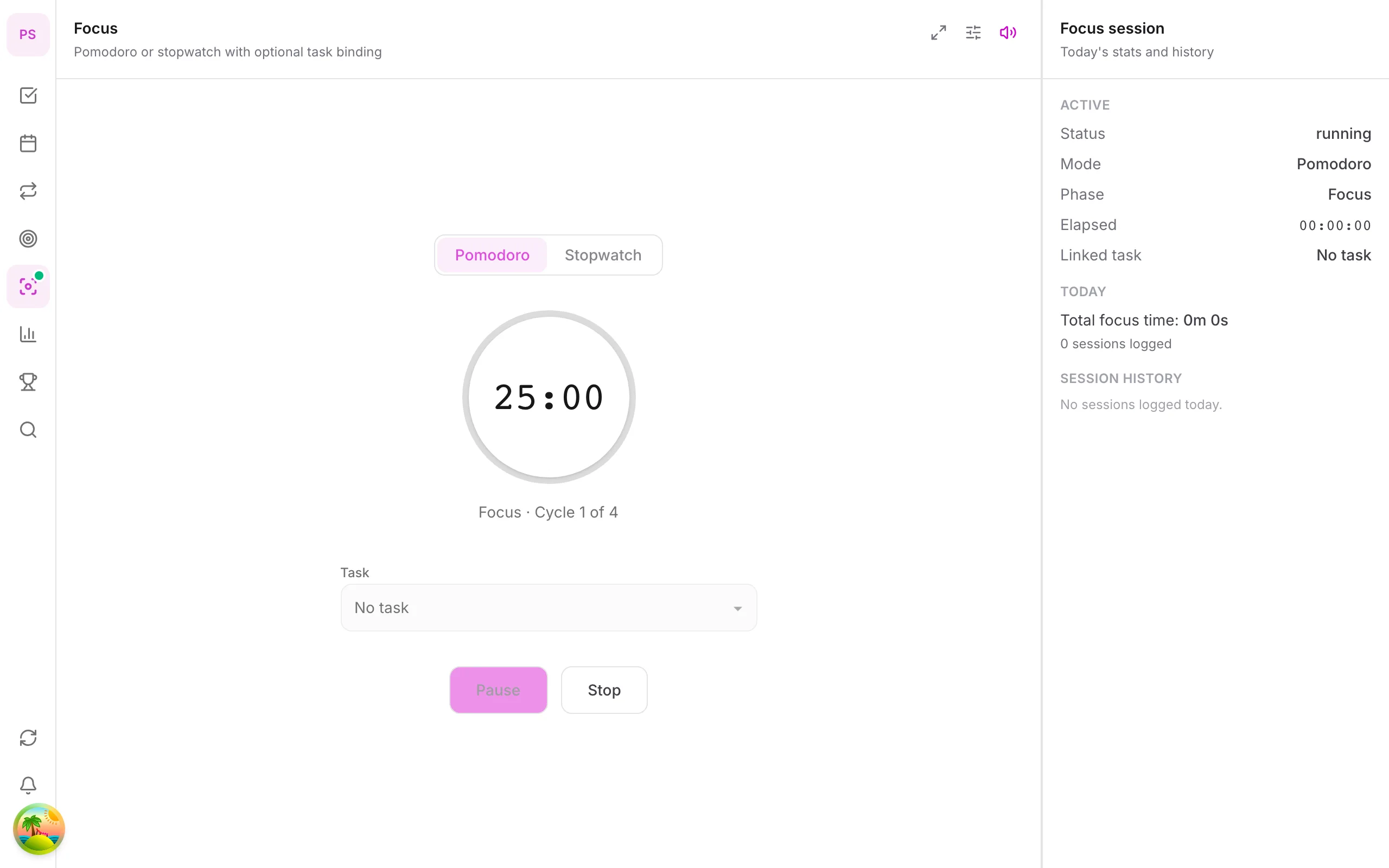
Tap More → Focus. The screen shows the timer and selected task (if any).
2. Pick a task (optional)
Tap to select a task from the list before starting — know what you're focusing on for 25 minutes.
3. Start Pomodoro
Tap Start. Timer counts down (default 25 min work). When time's up, switch to a short break (5 min).
4. Long break after 4 pomodoros
After four cycles, the app suggests a long break (15–30 min). Stand up, hydrate — avoid burnout.
5. Focus sounds (Premium)
In Focus settings, enable soundscapes (rain, cafe, etc.) on Premium. Free uses a silent timer.
Mobile tips
- One pomodoro = one small task, no multitasking
- Combine with time blocks on Premium calendar
- Timer runs in background when you switch apps (allow notifications if prompted)
On web/desktop: Focus module on icon rail; keep Focus window open while working elsewhere.
Why the Pomodoro method works
The method splits work into short, fixed intervals: 25 minutes of focus, then a 5-minute break. The limit makes starting easier ("I only need to do 25 minutes") and the breaks protect your attention. It suits tasks you tend to avoid, because the finish line is always close.
A worked example
You need to write a report. Open Focus, pick the task "Write report intro" and press Start. For 25 minutes you do only that. When the timer ends, take a real 5-minute break away from the screen. After four rounds, take a longer break of 15 to 30 minutes. In two hours you have four focused sessions and a clear picture of how long writing really takes.
Tips for better sessions
- One task per session. If you finish early, review your work instead of starting something new.
- Handle interruptions. Jot down a distraction on paper and return to it after the timer.
- Make breaks real. Stand up, drink water or look out of the window; do not check messages.
- Count sessions. After a week, you will know how many Pomodoros a typical task takes, which makes planning realistic.
Free and Premium
The basic timer is free. Focus soundscapes such as rain and cafe sounds, and advanced time tracking, are Premium. See pricing.
For a longer guide, read Pomodoro timer with a task list.
Common mistakes
- Skipping breaks and burning out by the afternoon.
- Starting the timer without choosing a task, which makes it a clock rather than a focus tool.
Related guides
Try DonDon on your phone
Install on iOS (TestFlight) or Android — your account syncs with web. Sign up free if you don't have an account yet.
Frequently asked questions
- Is Pomodoro free?
- Yes — the basic Pomodoro timer (25/5 min) works on Free and Premium.
- Do focus sounds require Premium?
- Yes — soundscapes and background focus audio are Premium features.
- Can Pomodoro link to a task?
- You can pick a task before starting a focus session to track actual work time (Premium for detailed time tracking).
Create a free account and start managing tasks today.
Smart task management — focus on what matters.
Create free account