Quick actions
Pin a task on the app
Pin important tasks to the top of a list with long-press — one action on iPhone/Android.
What you'll learn
- Pin tasks to list top with long-press
- Recognize pinned tasks
- Unpin when no longer needed
Before you start
| Platforms | iOS (TestFlight) · Android — primary guide. |
| Plan | Free |
| Prerequisites | Task in a list on Home tab. |
Steps
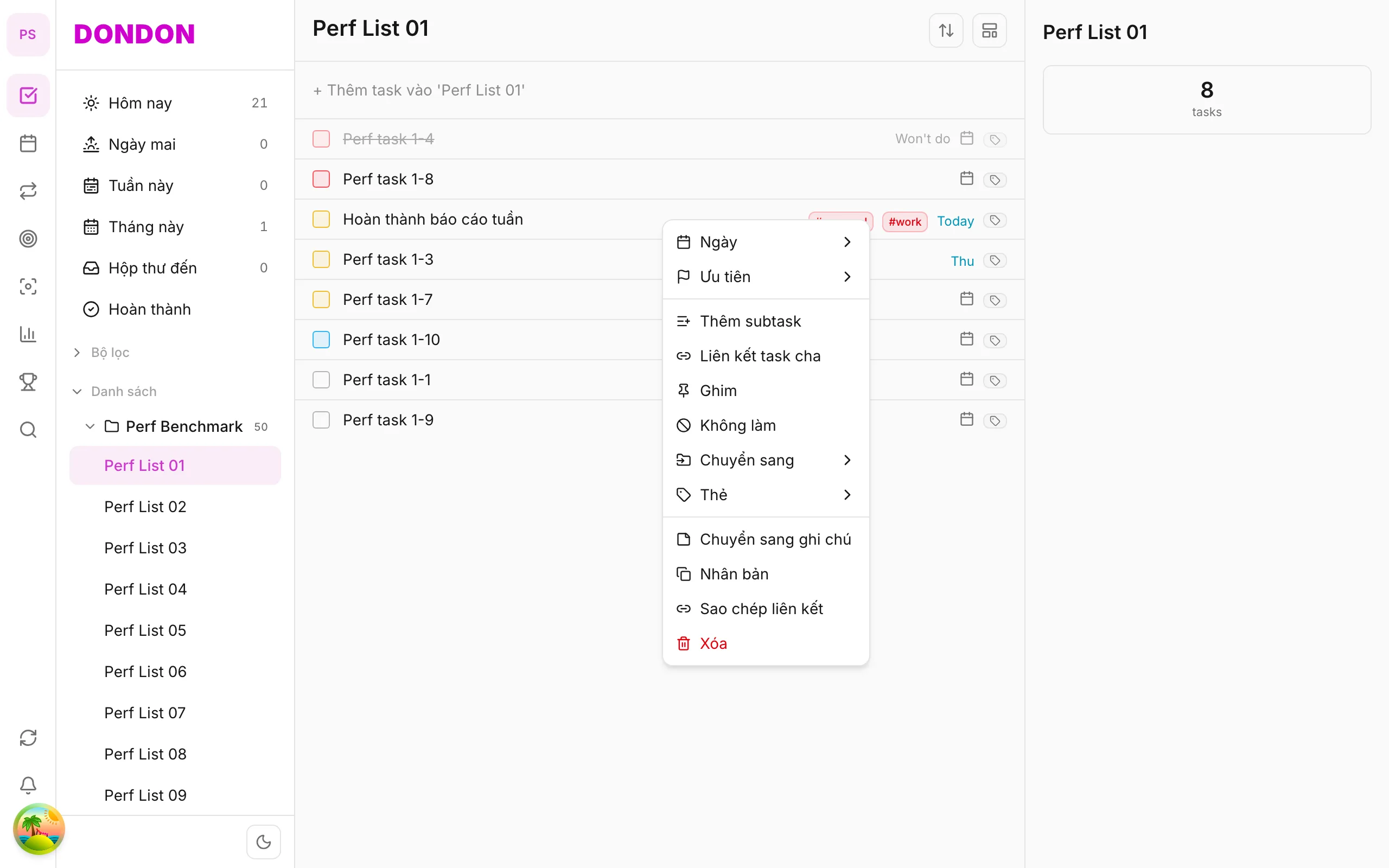
1. Long-press task
Long-press the task row to pin.
2. Tap Pin
Tap Pin in the menu. Task moves to list top.
3. Unpin
Long-press pinned task → Unpin.
Mobile tips
- Pin 1–2 focus tasks per day — don't over-pin
- Combine with priority for urgent work
On web/desktop: Right-click → Pin.
When pinning helps
A long list hides the one or two tasks that matter today. Pinning lifts those tasks to the top of the list so you see them first, without changing their due date or priority. It is a light way to say "this is what I am doing now".
A worked example
On Monday morning you have twenty open tasks. You pin "Prepare client proposal" and "Book flights". Both sit at the top of the list all day. When the proposal is done, you complete it and unpin the other one at the end of the week if it is still waiting.
Pin or prioritise?
- Pin answers "what do I look at first?" and is temporary.
- Priority answers "how important is this?" and stays on the task.
Use both together for urgent work, but keep pins to one or two tasks. If everything is pinned, nothing stands out.
Common mistakes
- Pinning too many tasks. Limit yourself to what you can finish today.
- Forgetting to unpin. A task you postponed stays at the top until you unpin it. Review your pins during your daily plan.
Related guides
Try DonDon on your phone
Install on iOS (TestFlight) or Android. Sign up free if you don't have an account yet.
Frequently asked questions
- Is there a pin limit?
- Depends on app — usually a few pins per list; pinned tasks stay at top.
- How do I unpin?
- Long-press pinned task → **Unpin**.
Create a free account and start managing tasks today.
Smart task management — focus on what matters.
Create free account