Quick actions
Set task priority on the app
Assign P1–P4 or clear priority via long-press or Priority sheet — prioritize work on iPhone/Android.
What you'll learn
- Set priority via long-press or Task detail
- Pick Low / Medium / High (or P1–P4 per app)
- Spot priority badges on task rows
Before you start
| Platforms | iOS (TestFlight) · Android — primary guide. |
| Plan | Free — basic priority |
| Prerequisites | Task on Home tab. |
Steps
1. Open Priority
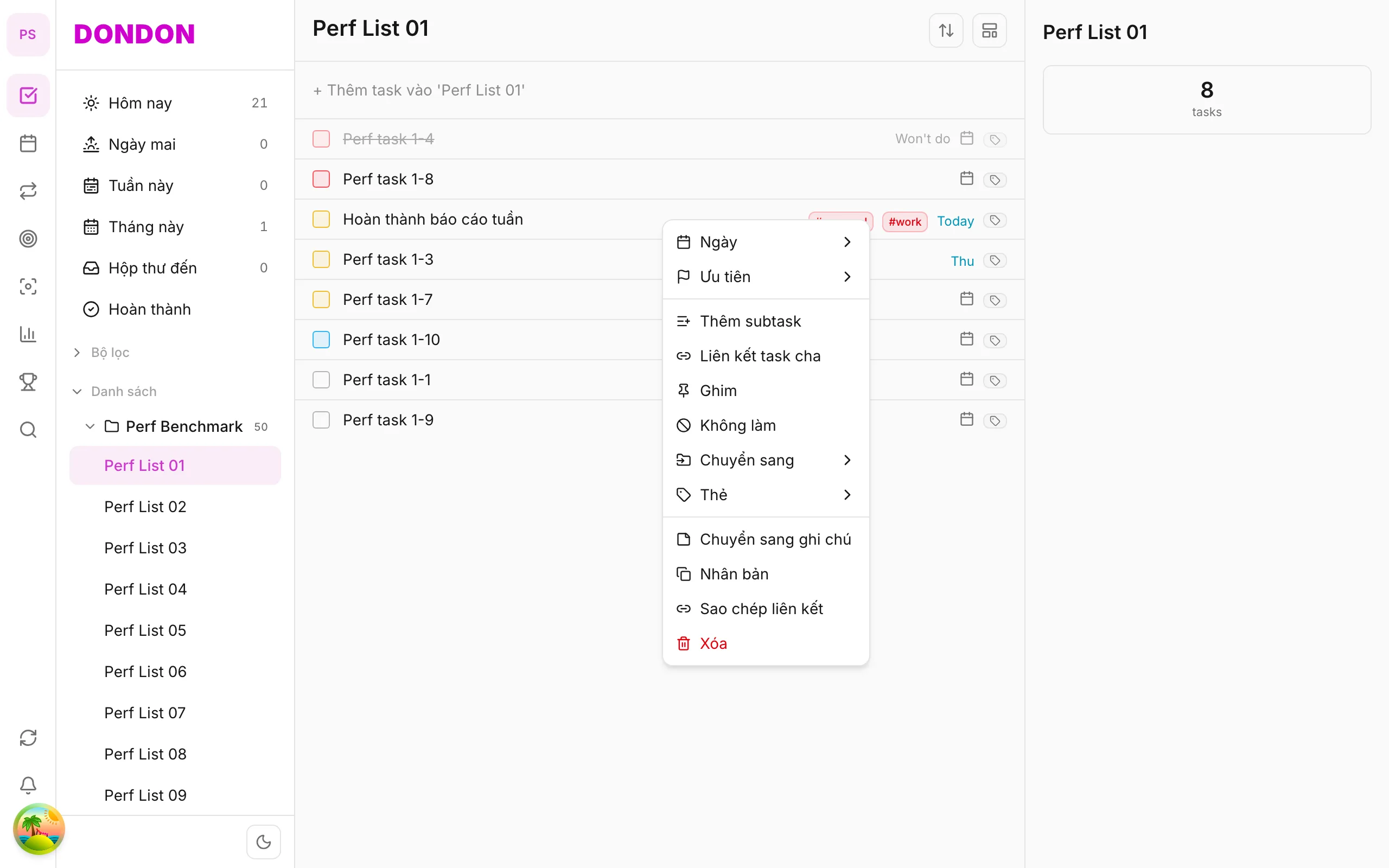
Long-press task → Priority.
Or tap task → Task detail → Priority.
2. Pick level
Sheet shows: Low, Medium, High (or P1–P4). Tap to apply.
3. Confirm
Priority icon or color appears on the row. Lists may sort by priority.
4. Clear priority
Choose None in the same sheet.
Mobile tips
- Quick Add:
!!= high,!!!= very high - See Task context menu for other actions
On web/desktop: Right-click → Priority submenu with hover.
When priority helps
A flat list treats "renew passport" and "tidy desktop icons" as equals. Priority tells you and the app which tasks to look at first, so the important work does not drown in small jobs.
Using the levels
- High: has a real deadline or consequence. Keep this for a few tasks per day.
- Medium: matters, but can wait a day or two.
- Low: nice to do when you have spare time.
- None: not yet decided. That is fine for new captures.
If everything is high, nothing is. A good rule is no more than three high-priority tasks in a day.
A worked example
You capture five tasks in the morning. Mark "Send the contract" as high, "Prepare Thursday slides" as medium and "Rename old files" as low. Add !! while typing in quick add to set high priority straight away, for example Send contract today !!.
Priority and other tools
- Pair priority with pinning for the one task you will start first.
- Use the Eisenhower approach when you are unsure how to rank.
- Review priorities weekly. Last week's urgent task may now be low.
Common mistakes
- Setting a priority and never revisiting it.
- Using priority instead of a due date. Priority is importance; the date is timing.
Related guides
Try DonDon on your phone
Install on iOS (TestFlight) or Android. Sign up free if you don't have an account yet.
Frequently asked questions
- Is priority on Free?
- Yes — basic priority is on Free.
- Quick priority in Quick Add?
- Type !! or !!! in Quick Add to boost priority when creating a task.
- How do I clear priority?
- Long-press → **Priority** → **None**, or Task detail → Priority sheet.
Create a free account and start managing tasks today.
Smart task management — focus on what matters.
Create free account