alternatives
Reclaim AI Alternatives (2026): Smart Scheduling
Reclaim AI alternatives compared: Motion, Morgen, Sunsama, Akiflow and DonDon. Who needs automatic calendar defence, and who needs less.
What Reclaim is good at
Reclaim sits on top of your existing calendar (such as Google Calendar) and defends your time: it schedules tasks and habits around meetings, protects focus blocks and helps find meeting times. If your main problem is meetings eating your week, that is the right kind of tool.
People look for alternatives when they want:
- A task manager first, with a calendar second.
- A different price structure.
- More control over AI, such as choosing the model.
- Less automation, so the plan changes only when they say so.
Prices below are publicly reported on 2 November 2026; sources disagree, so check each vendor's site.
Comparison
| App | Core idea | Reported price | Free option |
|---|---|---|---|
| Reclaim | Calendar defence and smart meetings | Free tier; paid roughly $8–18/user/mo | Yes |
| Motion | Autonomous task scheduling | Roughly $19–49/mo | Trial |
| Morgen | Unified calendar + tasks + AI Planner | Pro about $15/mo yearly | Limited |
| Sunsama | Guided daily planning | Roughly $16–25/mo | Trial |
| Akiflow | Time blocking inbox | About $19/mo yearly | Trial |
| DonDon | Tasks + habits + goals + calendar | Free; $1.99/mo or $11.99/yr | Yes |
How to choose
You need automatic defence of your calendar
Reclaim itself or Motion. Compare in Motion alternatives.
You want a calm ritual instead of automation
Sunsama or Akiflow. See Sunsama alternatives and Akiflow alternatives.
You want an all-in-one personal planner
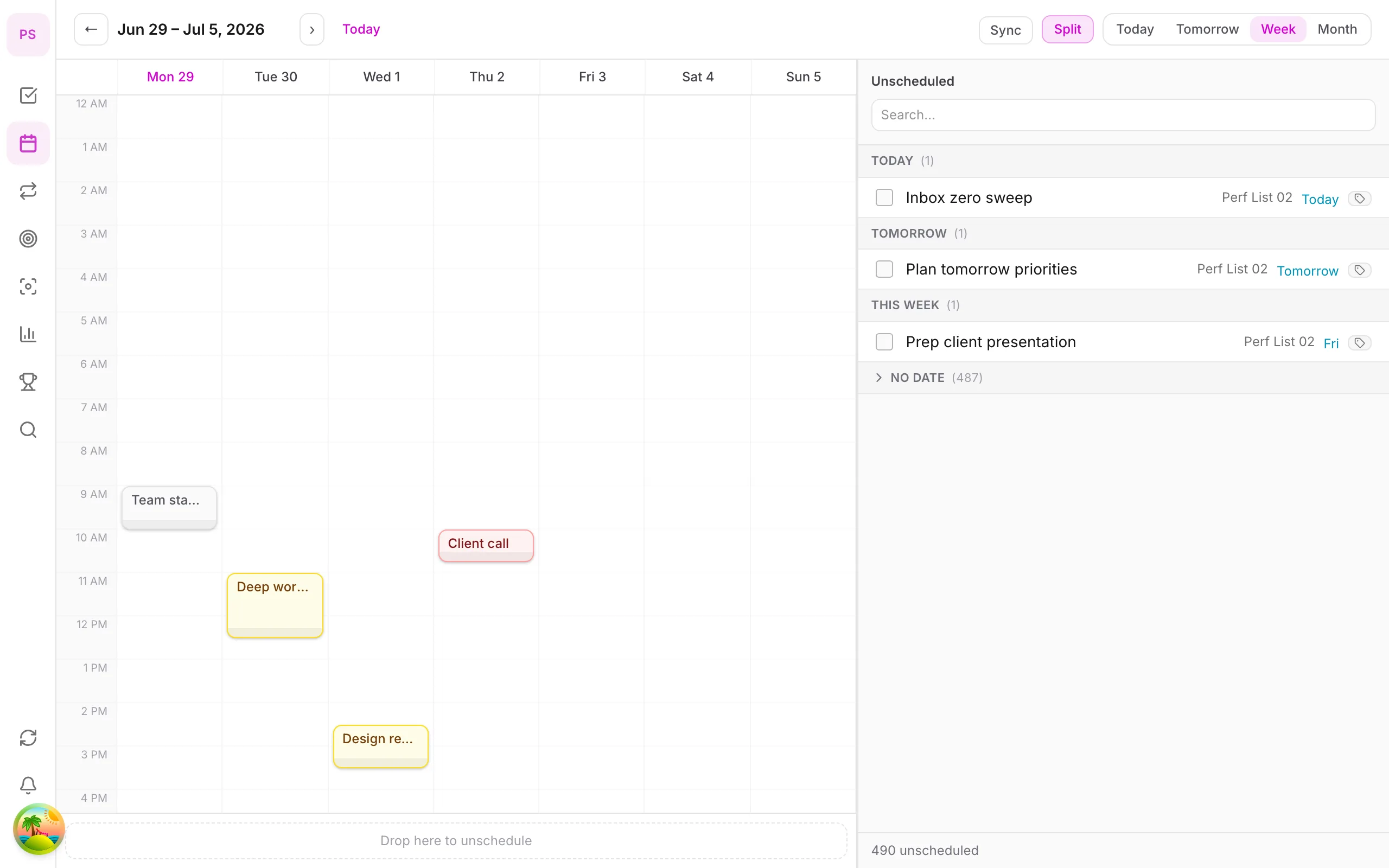
DonDon keeps the calendar next to habits, week/month/year goals and a Pomodoro timer. Calendar and time blocking are Premium. External calendar sync supports up to two accounts on Premium.
AI is optional: you use your own key (Claude, OpenAI, Gemini) or a local model, and requests go straight from your device to the provider.
Where DonDon is weaker than Reclaim: it does not automatically reshuffle your tasks around new meetings in the background, and it has no smart meeting scheduling or team features today.
Calendar-first vs task-first tools
The big split among these apps is where your work lives.
Calendar-first (Reclaim, Morgen, Motion). The calendar is the source of truth. Tasks, habits and focus time are scheduled into it, and the tool defends your time from meetings. Best for people whose week is dominated by meetings.
Task-first (DonDon, TickTick, Todoist). The task list is the source of truth, and the calendar is a planning surface. Best for people who manage their own work and want habits, goals and focus tools next to tasks.
Ritual-first (Sunsama). A guided daily planning flow that links tasks and calendar, with the human making the decisions.
Choosing the wrong category is a more common mistake than choosing the wrong product within a category.
Evaluating automatic scheduling honestly
Automation sounds ideal until you try it. Before paying, test these on a trial:
- Does it respect your real constraints? Working hours, travel time, meeting-free days.
- How does it handle changes? Move a meeting and see whether the plan makes sense afterwards.
- Can you override it easily? You should be able to pin a block without fighting the tool.
- Does it explain itself? Understanding why something moved builds trust.
- What does it do with tasks it cannot fit? A good tool tells you; a poor one silently drops them.
If you spend more time managing the automation than you would planning by hand, it is not saving you effort.
Who is better served by something simpler
You may not need an automatic scheduler if:
- You have fewer than about ten meetings a week.
- Your tasks rarely have hard deadlines.
- You prefer deciding your own day.
- You are a solo worker without a team calendar to coordinate.
In these cases a task planner with a calendar and a simple time-blocking habit is usually enough. See the time blocking guide.
Using DonDon as a lighter alternative
A realistic workflow for someone leaving an automatic scheduler:
- Capture tasks with natural-language quick-add as they appear.
- Plan each morning from the Today view, which shows tasks and habits together.
- Block time on the DonDon calendar (Premium), or ask your own AI model to propose blocks, then edit.
- Protect focus time by starting a Pomodoro for each block.
- Re-plan once after the first big disruption.
You lose automatic defence of your calendar and smart meeting scheduling. You gain a lower price, habits and goals in the same app, and AI on a model you choose.
Calendar sync considerations
If you rely on an external calendar, check how each tool syncs:
- Which calendars? Google, Outlook and others differ in support.
- How many accounts? DonDon Premium supports up to two external calendar accounts.
- Read or write? Some tools only display events; others create them.
- Latency. Slow sync causes double-bookings.
Test with a real event on both sides before committing.
Decision summary
- Meeting-heavy, want automation: Reclaim or Motion.
- Want calendar and tasks unified with AI: Morgen.
- Want a calm ritual: Sunsama or Akiflow.
- Personal planner with habits and goals, AI on your key: DonDon.
Questions to ask before switching
- How many meetings do I have? Over about 15 hours a week, automation pays for itself.
- Do I work across multiple calendars?
- Do I want AI to act or to suggest?
- Is a per-seat team price relevant to me?
See also best time blocking apps and the pricing page.
Frequently asked questions
- What is a good alternative to Reclaim AI?
- Motion and Morgen are the closest for automatic scheduling. Sunsama and Akiflow suit manual daily planning. DonDon fits if you want tasks, habits and goals with AI suggestions on your own key.
- Does Reclaim have a free plan?
- Sources report a free Lite tier and paid tiers (roughly $8 to $18 per user per month depending on plan and billing). Check reclaim.ai for current terms.
- Do I need Google Calendar to use these?
- Reclaim and Morgen are built around syncing with your calendar. DonDon has its own calendar and external calendar sync on Premium (up to two accounts).
Create a free account and start managing tasks today.
Smart task management — focus on what matters.
Create free account