how-to
Time Blocking: The Complete Guide (With a Free Template)
Learn how to time block your day: the method, a worked example, a copy-paste template, common mistakes and how to do it in an app.
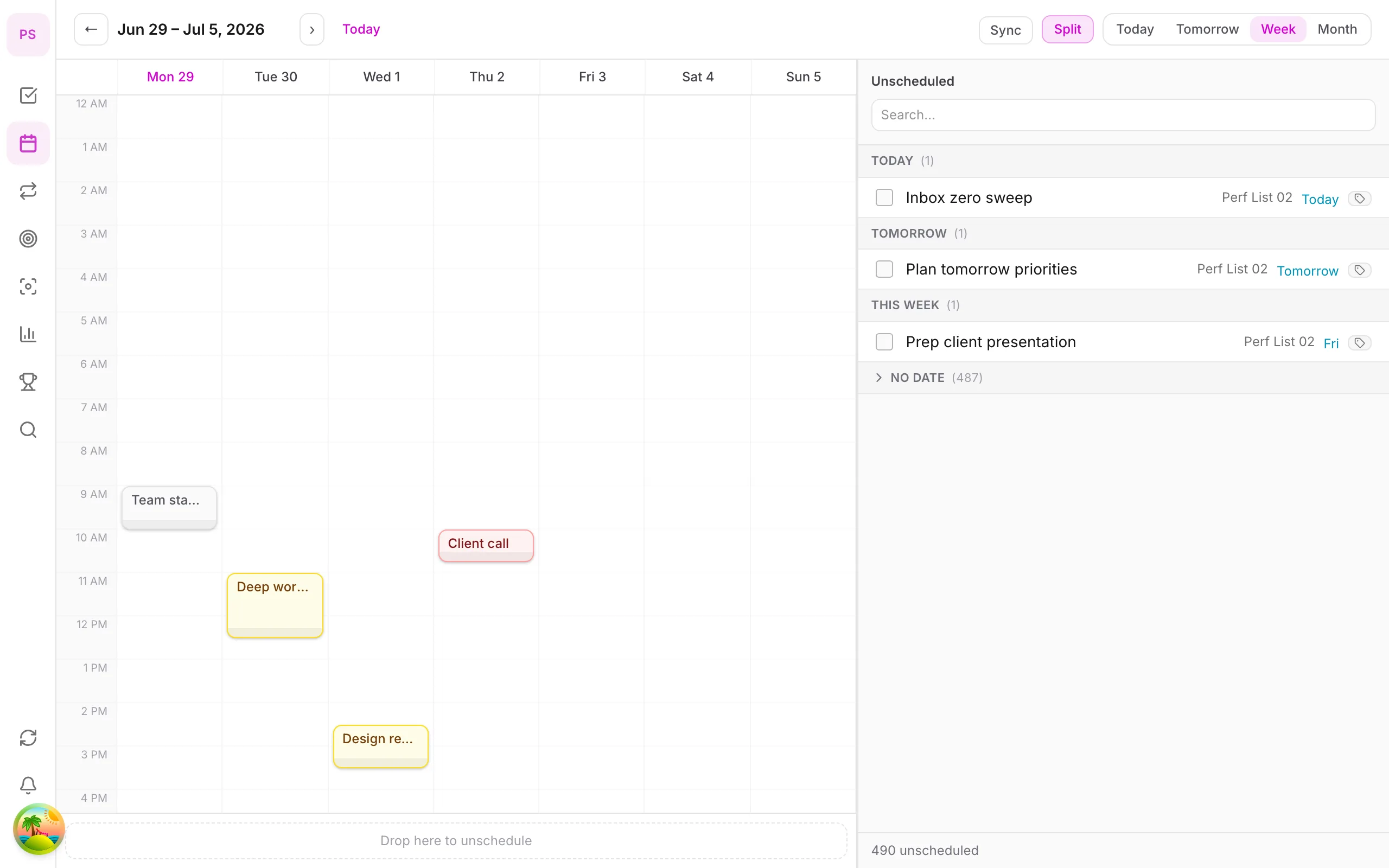
What time blocking is
Time blocking means deciding when you will do each task, not just what. A to-do list says "write report". A time-blocked day says "Tuesday 9:00–10:30: write report".
Why it works: it forces you to see that a day has about 6 realistic hours of work in it, not 14. Tasks that do not fit have to be dropped, delegated or moved, and that is the real benefit.
The five-step method
- Capture everything in one list.
- Estimate durations. Guess, then add 25%.
- Place fixed commitments first (meetings, school run, lunch).
- Block deep work in your best hours (often morning) and shallow work after.
- Leave a buffer. Aim for 20% of the day unplanned.
A worked example
| Time | Block | Type |
|---|---|---|
| 08:30–09:00 | Review plan, triage inbox | Admin |
| 09:00–10:30 | Draft proposal | Deep work |
| 10:30–10:45 | Break | – |
| 10:45–11:30 | Client calls | Meeting |
| 11:30–12:00 | Email batch | Admin |
| 12:00–13:00 | Lunch | – |
| 13:00–14:30 | Design review | Deep work |
| 14:30–15:30 | Buffer / overflow | Buffer |
| 15:30–16:30 | Reports and follow-ups | Admin |
| 16:30–17:00 | Shutdown: plan tomorrow | Admin |
Free template (copy and paste)
DATE: ____    TOP 3 TODAY: 1) ____ 2) ____ 3) ____
FIXED: ____ (time) ____ (time)
BLOCKS
__:__–__:__  ______________________  (deep / admin / meeting)
__:__–__:__  ______________________
__:__–__:__  BUFFER
END OF DAY: moved to tomorrow: ____  dropped: ____
Common mistakes
- Planning back-to-back. No buffer means the first overrun breaks the day.
- Blocking every minute. Leave white space.
- Giving big tasks one block. Break them into steps first.
- Treating the plan as a contract. Treat it as a draft; re-plan once after an interruption.
- Ignoring energy. Put demanding work in your best hours.
Time blocking with different tools
- Paper or a calendar app: fine, if you remember to drag tasks across.
- A planner with tasks and calendar together: removes copy-paste. See best time blocking apps.
- With AI: you can describe your tasks and constraints and ask for a proposed schedule; see plan your day with Claude or ChatGPT.
Time blocking in DonDon
DonDon's calendar and time blocking are Premium features; quick-add, tasks and habits work on Free.
- Add tasks with quick-add (
Prepare slides tomorrow 2pm). - Open the calendar and drag the task into a block, then adjust the duration.
- Optionally ask your configured AI model to propose blocks. You accept or edit them.
- Start a Pomodoro from the task for a focused session.
Guides: calendar and time block, task time block, and Pomodoro focus.
Variations of time blocking
The basic method has several popular variants. Try the simplest one that solves your problem.
Classic time blocking. Every task gets a specific slot. Best for people with predictable days.
Task batching. Group similar small tasks into one block: "emails and admin 11:30-12:00". Reduces context switching.
Day theming. Assign a theme per day (Monday: planning, Tuesday: client work). Good if your role has distinct kinds of work.
Time boxing. Give a task a fixed amount of time, then stop when it expires, finished or not. Good against perfectionism.
Time blocking with a Pomodoro. Inside each block, work in 25-minute intervals with short breaks. See Pomodoro with a task list.
How to estimate durations better
Estimation is the hardest part. Use these habits:
- Track for a week. Note how long ten typical tasks really take.
- Use ranges. "1 to 2 hours" is honest and helps you choose a safe block.
- Add a quarter. Planning fallacy is real; most people underestimate by 20-50%.
- Break big tasks. Anything over two hours is a project. Split it.
- Compare plan vs actual at your weekly review and adjust.
Planning around energy
Your best hours are not the same as someone else's. A simple method:
- Rate your focus from 1 to 5 at the start of each hour for a week.
- Look at the pattern. Put deep work where the average is highest and admin where it is lowest.
- Revisit every few months; sleep, seasons and schedules change.
What to do when the plan breaks
It will break. Have a protocol:
- Do not abandon the plan. Re-plan the rest of the day, starting from now.
- Use the drop rule. Cut the least important block first.
- Move, don't delete. Unfinished blocks go to the next open slot.
- Note why it broke. An interruption pattern is data for tomorrow.
A plan that bends is working. A plan you quit after one disruption was too rigid.
Time blocking for different roles
Manager. Block recurring one-to-ones, and protect two or three focus blocks per week.
Developer or writer. Keep long uninterrupted blocks and move meetings to a single half-day.
Freelancer. Block client work, admin and selling separately so invoicing and outreach never get squeezed out.
Student. Block classes first, then study by subject, and exam preparation backwards from the exam date.
Parent or caregiver. Block around fixed obligations, plan shorter blocks, and expect more flexibility.
Pairing time blocking with other methods
- Eisenhower matrix: decide what deserves a block. See the Eisenhower matrix guide.
- Weekly review: plan next week's blocks on Friday. See the weekly review template.
- Goals: make sure at least one block per week serves your main goal. See setting weekly, monthly and yearly goals.
- Habits: anchor habits to specific times; see habit stacking examples.
Is time blocking right for you?
It works best when your day is mostly under your control. If you are on call or your priorities change hourly, rigid blocks will frustrate you. Try themed half-days or a top three plus buffer approach instead, and treat blocks as defaults, not promises.
Try it for one week
Block just your top three tasks each day for five days. If it helps, expand from there. Compare plans on pricing.
Frequently asked questions
- What is time blocking?
- Time blocking is planning your day by assigning tasks to specific blocks of time on a calendar, instead of working from an open-ended to-do list.
- How long should a time block be?
- Most people use 25 to 90 minutes for focused work. Short admin tasks can be grouped into a single 30 to 60 minute block.
- What if my blocks do not go to plan?
- Expect it. Leave buffer, move unfinished blocks to the next open slot, and review at the end of the day instead of abandoning the system.
Create a free account and start managing tasks today.
Smart task management — focus on what matters.
Create free account