Habits
Daily habit tracking on iOS & Android
Create habits and track streaks on the Habits tab — habit tracker integrated with your task manager. Free has quota; Premium expands.
What you'll learn
- Open the Habits tab and view today's habits
- Create habits with frequency (daily, weekly)
- Mark complete and track streaks
- Combine habits with daily tasks
Before you start
| Platforms | iOS (TestFlight) · Android — primary guide. Web/desktop: footnote at end of section if different. |
| Install | iOS: TestFlight (board link). Android: APK / Play internal when available. |
| Plan | Mixed — Free has habit quota; Premium expands to 50 habits |
| Prerequisites | Signed in to the app. |
Free: Basic habit tracking with a quantity limit.
Premium: Up to 50 habits and deeper calendar integration.
Steps
1. Open the Habits tab
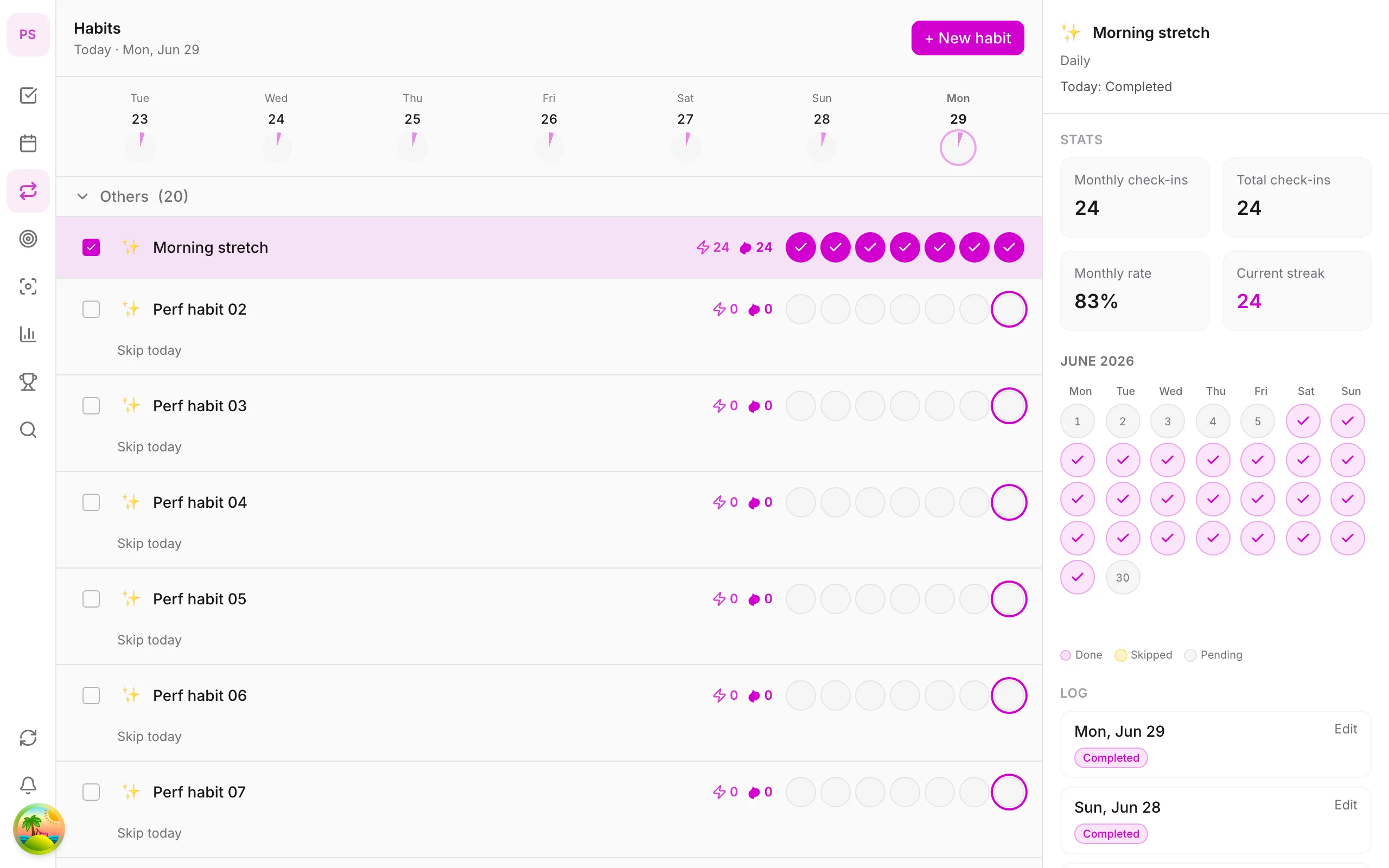
Tap Habits on the bottom tab bar. The screen shows today's habits and streaks.
2. Create a new habit
Tap + Habit, name it — e.g. Drink water, Read 20 min. Choose frequency: daily or specific weekdays.
3. Complete today
Tap the habit when done. Streak updates immediately; the weekly chart shows which days you kept up.
4. View streak history
Tap a habit for details — longest streak and completion rate. Use as motivation — 100% isn't required.
5. Build into your routine
Create reminder tasks in Home or time blocks on Calendar (Premium) for important habits.
Mobile tips
- Start with one habit — easier than five at once
- Anchor habits to the same time slot daily
- Streaks and achievements also appear in More → Achievements
Habits versus tasks
A task is done once. A habit is something you repeat, and what matters is consistency. Treating them separately keeps your list clean: you do not need a new task every day for "Drink water", because the habit tracker handles it and records the streak.
Choosing habits that last
- Start with one. Add a second only when the first feels automatic.
- Make it small. "Read 20 minutes" lasts longer than "Read for two hours".
- Be specific about when. Anchor it to something you already do, such as after breakfast.
- Allow weekdays only if that is realistic. Not every habit has to be daily.
A worked example
You want to exercise. Create the habit Walk 20 min, set it for weekdays and plan it after lunch. Tap it when done. After two weeks the weekly chart shows a pattern, and you can see which day you usually miss and plan for it.
Reading your streak
A streak is encouragement, not a rule. Missing a day does not erase your progress; look at your completion rate over a week or month instead of fixating on one number.
Free and Premium
The Free plan includes habit tracking with a limited quantity. Premium allows up to 50 habits and deeper calendar integration. See pricing.
Common mistakes
- Creating five habits on day one.
- Setting a habit so ambitious that you quit within a week.
- Never reviewing. Look at your habits during your weekly review.
Related guides
Try DonDon on your phone
Install on iOS (TestFlight) or Android — your account syncs with web. Sign up free if you don't have an account yet.
Frequently asked questions
- How many habits are on Free?
- Free has a habit limit — enough to try one main habit. Premium expands to 50 habits.
- How does streak work?
- Each day you mark a habit complete, streak increases. Miss a day and streak resets — unless flexible mode is enabled (if available in app).
- Can habits link to tasks?
- Habits and tasks share the same workspace — create reminder tasks in Home or time blocks on Calendar (Premium).
Create a free account and start managing tasks today.
Smart task management — focus on what matters.
Create free account